What's inside
Form content
Building Regulation 2021 • Sections 74 and 77 • Form 12 • Version 2 • March 2023
Aspect Inspection Certificate
(Appointed Competent Person)
This form is the approved form that must be used in accordance with sections 74 and 77 of the Building Regulation 2021
(appointed competent person statement that an aspect of work has been completed and complies with the building development approval).
Information about how to complete this form is in the Appendix at the end of the form.
1. Indicate the aspect of the building work
Examples of aspects of the stage of building work (and not limited to the examples provided below):
waterproofing, tiling, glazing, energy efficiency, emergency lights, exit signs, smoke detection, air- conditioning.
Aspect of building work (indicate the aspect)
2. Property description
The description must identify all land the subject of the application.
The lot and plan details (e.g. SP/RP) are shown on title documents or a rates notice.
If the plan is not registered by title, provide previous lot and plan details.
Street address (include number, street, suburb/locality and postcode)
State
Postcode
Lot and plan details (attach list if necessary)
Local government are
How to fill it
Fill or edit this form in MePDF
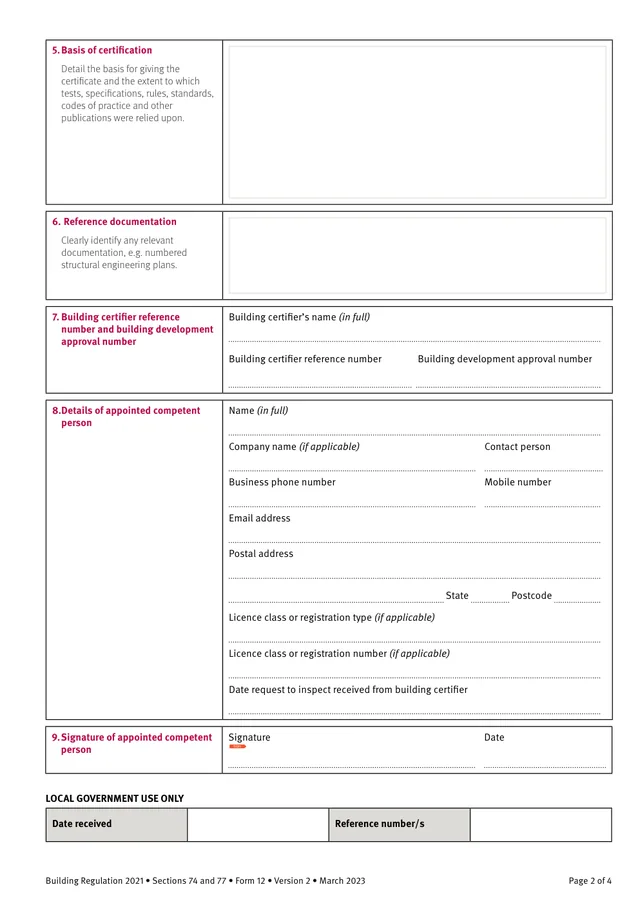
- Preview page 2 to confirm the form name and revision.
- Select Fill form to answer the form one page at a time.
- Type an answer for each field; checkboxes and choices use the form’s own options.
- Preview the finished pages, then download the flattened PDF.
- The downloaded copy is image-only, so it cannot be edited as a form again.
Fill only the fields that apply and keep a copy of the finished PDF. The editor keeps the original layout while you fill the existing fields.