What's inside
Form content
APD AEM v1.00
PREVIOUS EDITIONS ARE OBSOLETE.
DA FORM 1307, APR 2018
Page of
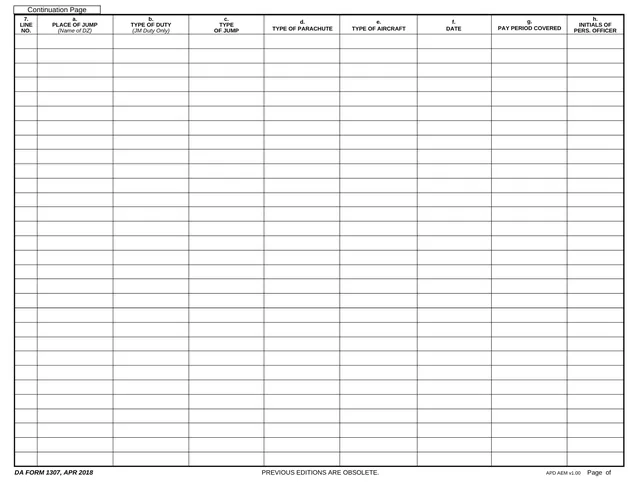
Continuation Page
For use of this form, see AR 600-8-22; the proponent agency is DCS, G-1.
INDIVIDUAL JUMP RECORD
This Individual Jump Record will be a permanent document. Jumps will be entered only upon presentation of DA Form 1306 as required by AR 600-8-22.
COLUMN b - The following code will be used to indicate the 'Type of Duty' performed.
AJ/PJ
Jumpmaster INCLUDING Army Aircraft
DACO
Departure Airfield Control Officer
DZSO
Drop Zone Safety Officer
SAF
Safety
Jumpmaster Refresher/Transition Training
JMR/(TT)
Assistant Departure Airfield Control Officer
ADACO
Assistant Drop Zone Safety Officer
ADZSO
1. NAME (Last, First, Middle Initial)
2. GRADE
3. QUALIFIED AS
4. UNIT
5. HEADQUARTERS
6. DATE a. PRCHST c. SENIOR PRCHST d. MASTER PRCHST
Basic Airborne Refresher
BAR
Administrative or Non-Tactical
A/NT
Tactical
T
Mass Tactical
MT
Night
N
Combat
C
Combat Equipment
CE
Halo
H
Oxygen
O h.
INITIALS OF
PERS. OFFICER
7.
LINE
NO.
a.
PLACE OF JUMP
(Name of DZ) b.
TYPE OF DUTY
(JM Duty Only) d.
TYPE OF PARACHUTE f.
DATE g.
PAY PERIOD COVERED e.
TYPE OF AIRCRAFT c.
TYPE
OF JUMP b. JM SCHOOL GRAD
(For example: T - CE
How to fill it
Fill or edit this form in MePDF
- Preview page 2 to confirm the form name and revision.
- Select Fill form to answer the form one page at a time.
- Type an answer for each field; checkboxes and choices use the form’s own options.
- Preview the finished pages, then download the flattened PDF.
- The downloaded copy is image-only, so it cannot be edited as a form again.
Use the service member's full legal name and current unit details. The editor keeps the original layout while you fill the existing fields.