What's inside
Form content
ALL INSPECTIONS AND EQUIPMENT CONDITIONS RECORDED ON THIS FORM HAVE BEEN DETERMINED
IN ACCORDANCE WITH DIAGNOSTIC PROCEDURES AND STANDARDS IN THE TM CITED HEREON.
EQUIPMENT INSPECTION AND MAINTENANCE WORKSHEET
For use of this form, see DA PAM 750-8; the proponent agency is DCS, G-4.
HOT
STARTS d.
HOURS b.
ROUNDS
FIRED c.
TIME
SIGNATURE
TIME
MILES
10.
9
3. REGISTRATION/SERIAL/NSN a.
1. ORGANIZATION
2. NOMENCLATURE AND MODEL
5. DATE
6. TYPE INSPECTION
APPLICABLE REFERENCE
7.
TM NUMBER
TM DATE
TM NUMBER
TM DATE
COLUMN a
COLUMN b
COLUMN c
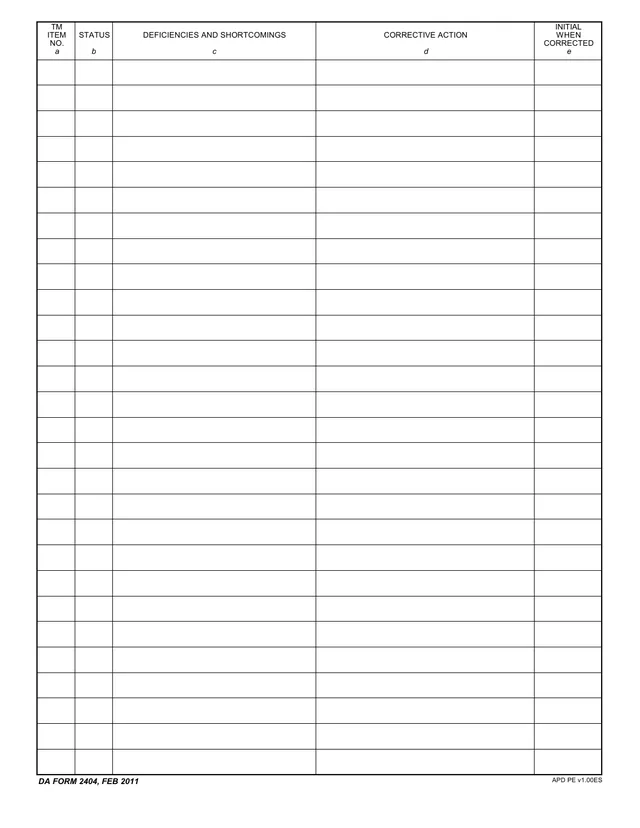
Enter TM item number.
Enter the applicable condition status symbol.
Enter deficiencies and shortcomings.
COLUMN d shortcoming listed in Column c.
Show corrective action for deficiency or
STATUS SYMBOLS
COLUMN e action initial in this column.
Individual ascertaining completed corrective
Indicates a deficiency in the equipment that places
"X" it in an inoperable status.
Indicates a deficiency, however, the
CIRCLED "X"
Indicates that a required
HORIZONTAL DASH "(-)"
Indicates a material defect other
DIAGONAL "(/)"
LAST NAME INITIAL IN BLACK, BLUE-BLACK INK,
FOR AIRCRAFT - Status symbols will be recorded in red.
(Person(s) performing inspection)
(Maintena
How to fill it
Fill or edit this form in MePDF
- Preview page 2 to confirm the form name and revision.
- Select Fill form to answer the form one page at a time.
- Type an answer for each field; checkboxes and choices use the form’s own options.
- Preview the finished pages, then download the flattened PDF.
- The downloaded copy is image-only, so it cannot be edited as a form again.
Use the service member's full legal name and current unit details. The editor keeps the original layout while you fill the existing fields.