What's inside
Form content
(YYYYMMDD)
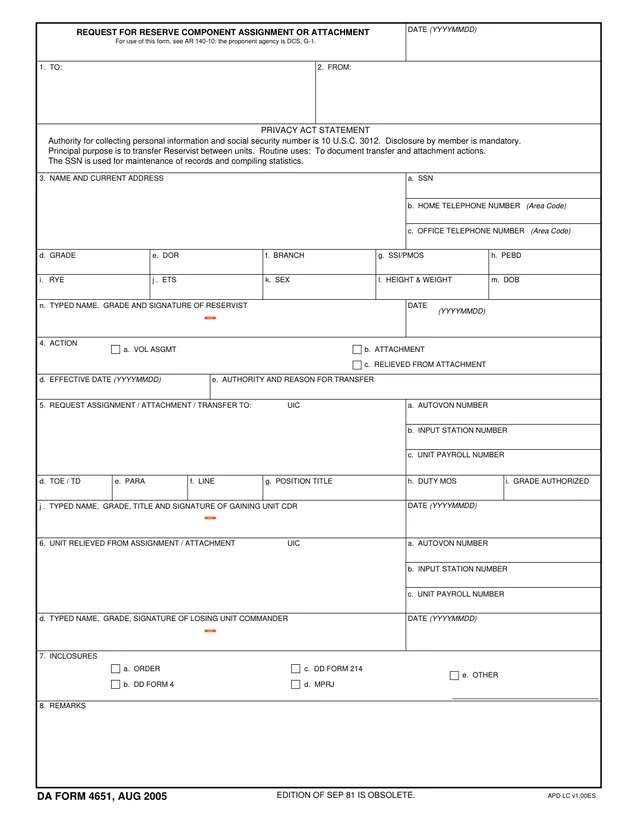
REQUEST FOR RESERVE COMPONENT ASSIGNMENT OR ATTACHMENT
1. TO:
4. ACTION
DA FORM 4651, AUG 2005
APD LC v1.00ES
PRIVACY ACT STATEMENT
7. INCLOSURES a. ORDER b. DD FORM 4 c. DD FORM 214 d. MPRJ e. OTHER a. VOL ASGMT b. ATTACHMENT c. RELIEVED FROM ATTACHMENT
3. NAME AND CURRENT ADDRESS
DATE (YYYYMMDD)
2. FROM:
i. RYE k. SEX m. DOB d. EFFECTIVE DATE (YYYYMMDD) e. AUTHORITY AND REASON FOR TRANSFER h. PEBD
DATE
5. REQUEST ASSIGNMENT / ATTACHMENT / TRANSFER TO:
j . ETS l. HEIGHT & WEIGHT a. AUTOVON NUMBER b. INPUT STATION NUMBER c. UNIT PAYROLL NUMBER
UIC d. GRADE e. DOR f. BRANCH a. SSN g. SSI/PMOS n. TYPED NAME. GRADE AND SIGNATURE OF RESERVIST d. TOE / TD e. PARA f. LINE g. POSITION TITLE h. DUTY MOS i. GRADE AUTHORIZED
6. UNIT RELIEVED FROM ASSIGNMENT / ATTACHMENT a. AUTOVON NUMBER j . TYPED NAME, GRADE, TITLE AND SIGNATURE OF GAINING UNIT CDR
DATE (YYYYMMDD)
UIC b. INPUT STATION NUMBER c. UNIT PAYROLL NUMBER d. TYPED NAME, GRADE, SIGNATURE OF LOSING UNIT COMMANDER
DATE (YYYYMMDD)
8. REMARKS
For use of this form, see AR 140-10: the proponent agency is DCS, G-1.
c. OFFICE TELEPHONE NUMBER (Area Code) b. HOME TELEPHONE NUMBER (Area Code)
Authority for collecting personal infor
How to fill it
Fill or edit this form in MePDF
- Preview page 1 to confirm the form name and revision.
- Select Fill form to answer the form one page at a time.
- Type an answer for each field; checkboxes and choices use the form’s own options.
- Preview the finished pages, then download the flattened PDF.
- The downloaded copy is image-only, so it cannot be edited as a form again.
Use the service member's full legal name and current unit details. The editor keeps the original layout while you fill the existing fields.