What's inside
Form content
Law Enforcement Support Office (LESO)
Instructions for completing the DD Form 200, Financial Liability Investigation of Property Loss (FLIPL)
DD Form 200 Page 1
The LESO will only accept the JUL 2009 Version
Block 1: Enter form completion start date (ex., 20221031).
Block 2: Leave blank, LESO HQ use only.
Block 3: Enter applicable circumstance date (ex., 20221031).
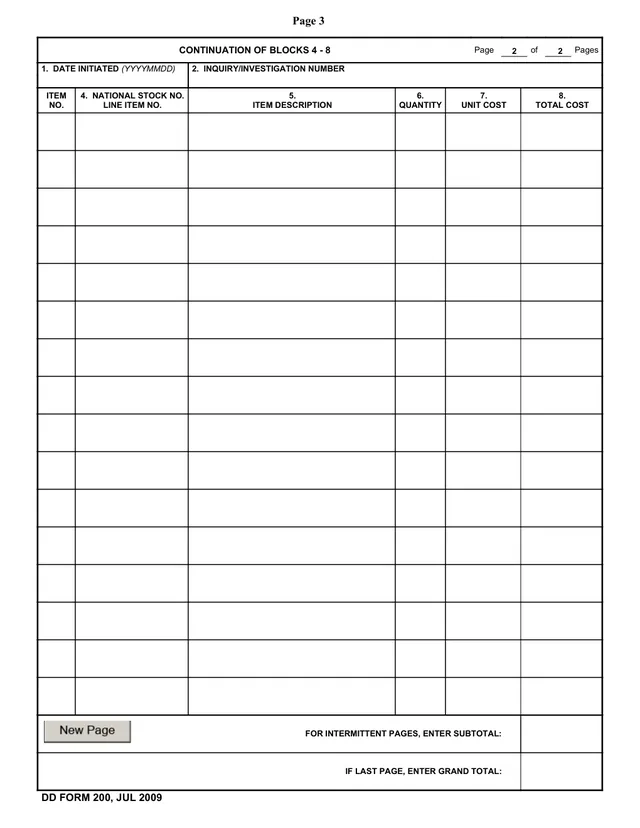
Block 4: Enter applicable National Stock Number (NSN) or local stock number (LSN) for assigned property number in the Federal Excess Property Management
Information System (FEPMIS).
Block 5: Enter FEPMIS property name (nomenclature), property number and the serial number (if recorded/known). Note: If there is more than one (1) property number with the same circumstance, please select the "Add More Items" action button to add a continuation page and enter the additional property numbers there.
Block 6: Enter quantity value assigned to Federal Excess Property Management Information System (FEPMIS) property number.
Block 7: Enter property number unit of issue cost value as recorded in FEPMIS.
Block 8: Enter product value of blocks 6 & 7 (ex., 3 x $333 = $999)
Block 9: Enter a statement that summarizes the property circumsta
How to fill it
Fill or edit this form in MePDF
- Preview page 5 to confirm the form name and revision.
- Select Fill form to answer the form one page at a time.
- Type an answer for each field; checkboxes and choices use the form’s own options.
- Preview the finished pages, then download the flattened PDF.
- The downloaded copy is image-only, so it cannot be edited as a form again.
Use the service member's full legal name and current unit details. The editor keeps the original layout while you fill the existing fields.