What's inside
Form content
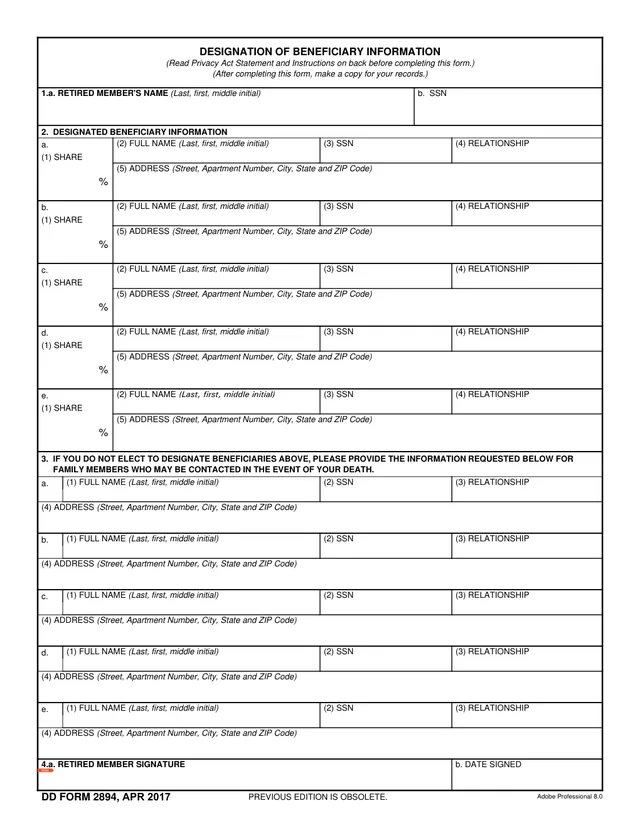
DD FORM 2894, APR 2017
DESIGNATION OF BENEFICIARY INFORMATION
(Read Privacy Act Statement and Instructions on back before completing this form.)
(After completing this form, make a copy for your records.)
1.a. RETIRED MEMBER'S NAME (Last, first, middle initial) b. SSN
2. DESIGNATED BENEFICIARY INFORMATION a.
(1) SHARE
%
(2) FULL NAME (Last, first, middle initial)
(3) SSN
(4) RELATIONSHIP
(5) ADDRESS (Street, Apartment Number, City, State and ZIP Code) b.
(1) SHARE
%
(2) FULL NAME (Last, first, middle initial)
(3) SSN
(4) RELATIONSHIP
(5) ADDRESS (Street, Apartment Number, City, State and ZIP Code) c.
(1) SHARE
%
(2) FULL NAME (Last, first, middle initial)
(3) SSN
(4) RELATIONSHIP
(5) ADDRESS (Street, Apartment Number, City, State and ZIP Code) d.
(1) SHARE
%
(2) FULL NAME (Last, first, middle initial)
(3) SSN
(4) RELATIONSHIP
(5) ADDRESS (Street, Apartment Number, City, State and ZIP Code) e.
(1) SHARE
%
(2) FULL NAME (Last, first, middle initial)
(3) SSN
(4) RELATIONSHIP
(5) ADDRESS (Street, Apartment Number, City, State and ZIP Code)
3. IF YOU DO NOT ELECT TO DESIGNATE BENEFICIARIES ABOVE, PLEASE PROVIDE THE INFORMATION REQUESTED BELOW FOR
FAMILY MEMBERS WHO MAY BE CONTACTED IN T
How to fill it
Fill or edit this form in MePDF
- Preview page 1 to confirm the form name and revision.
- Select Fill form to answer the form one page at a time.
- Type an answer for each field; checkboxes and choices use the form’s own options.
- Preview the finished pages, then download the flattened PDF.
- The downloaded copy is image-only, so it cannot be edited as a form again.
Use the service member's full legal name and current unit details. The editor keeps the original layout while you fill the existing fields.