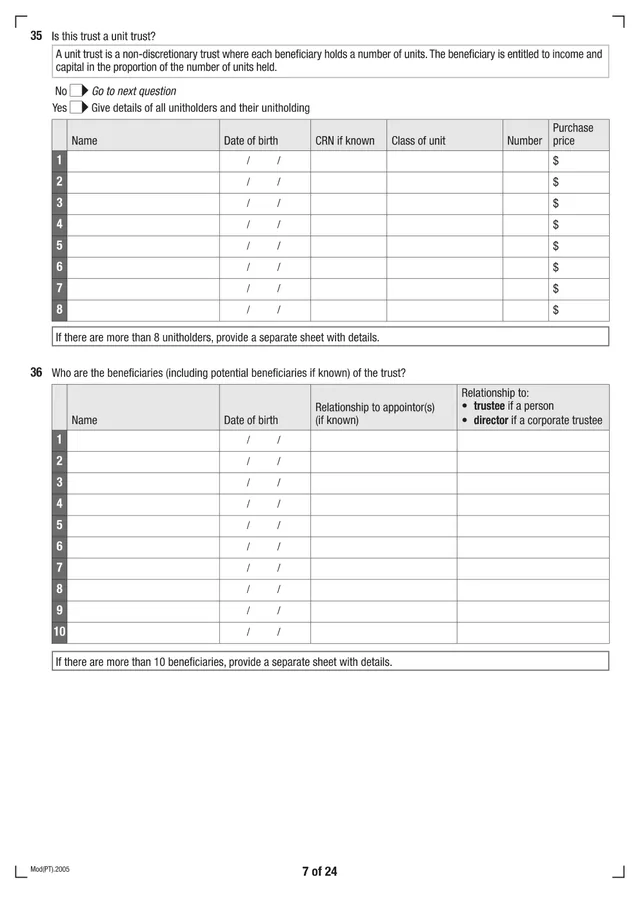
What's inside
Form content
This PDF is image-based. Preview the page to read it, then use the editor to add text or fields.
FieldsTextField_7TextField_8TextField_9TextField_10TextField_14TextField_15TextField_16TextField_17TextField_18TextField_19TextField_20TextField_21
How to fill it
Fill or edit this form in MePDF
- Preview page 13 to confirm the form name and revision.
- Select Fill form to answer the form one page at a time.
- Type an answer for each field; checkboxes and choices use the form’s own options.
- Preview the finished pages, then download the flattened PDF.
- The downloaded copy is image-only, so it cannot be edited as a form again.
Fill only the fields that apply and do not change clauses you were not asked to change. The editor keeps the original layout while you fill the existing fields.