What's inside
Form content
Page 1
OFFICIAL: Sensitive (when completed)
For employers and employees
Superannuation standard choice form
Use this form to choose the super fund your employer will pay your super into. Your choice of super fund is an important decision for your future.
If you don’t complete this form, your employer can pay your super into your existing fund identified by the ATO. If you don’t have one, your employer can pay into a new account in their default super fund. You can find more information on page 5.
How to complete online
Save time: use the online form
Use the online form in myGov to choose your super fund.
Your super account details will automatically be filled in for you.
1 Sign into myGov and select ATO in your services
2 In the menu select Employment, and then
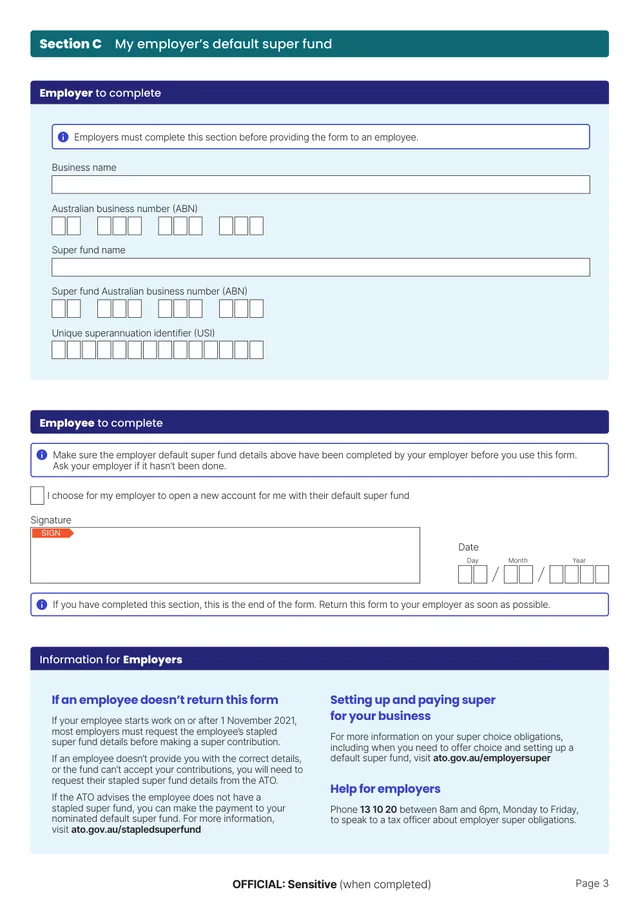
New employment. You’ll need your employer’s information on page 3 to complete this form.
3 Select your preferred fund and give a copy to your employer.
Information
For employees
Addional information about super is located at the end of this form. You can also visit ato.gov.au/individuals/super
For employers
Use the form to offer employees their choice of super fund. You must fill in the details of your nominated super fun
How to fill it
Fill or edit this form in MePDF
- Preview page 3 to confirm the form name and revision.
- Select Fill form to answer the form one page at a time.
- Type an answer for each field; checkboxes and choices use the form’s own options.
- Preview the finished pages, then download the flattened PDF.
- The downloaded copy is image-only, so it cannot be edited as a form again.
Copy figures exactly from the statement and keep the currency clear. The editor keeps the original layout while you fill the existing fields.