What's inside
Form content
1
2
3
4
5
6
7
8
9
110
11
12
13
14
15
16
17
18
19
20
21
22
23
24
25
26
27
Free template courtesy of Talkov Law:
2900 Adams St Ste C225
Riverside, CA 92504
Phone: (951) 888-3300
Email: [email protected]
MARITAL SETTLEMENT AGREEMENT
1
NAME
ADDRESS
TELEPHONE NUMBER
EMAIL
Notice: Please contact an attorney to advise you of your rights upon an assessment of the facts in your case before using this template judgment. It is strongly advised that you contact a family law attorney or a divorce attorney to consider all of your options.
Attorneys for Petitioner
SUPERIOR COURT FOR THE STATE OF CALIFORNIA
COUNTY OF RIVERSIDE
[Name of Husband or Wife],
Petitioner, v.
[Name of Husband or Wife],
Respondent.
CASE NO.
MARITAL SETTLEMENT
AGREEMENT
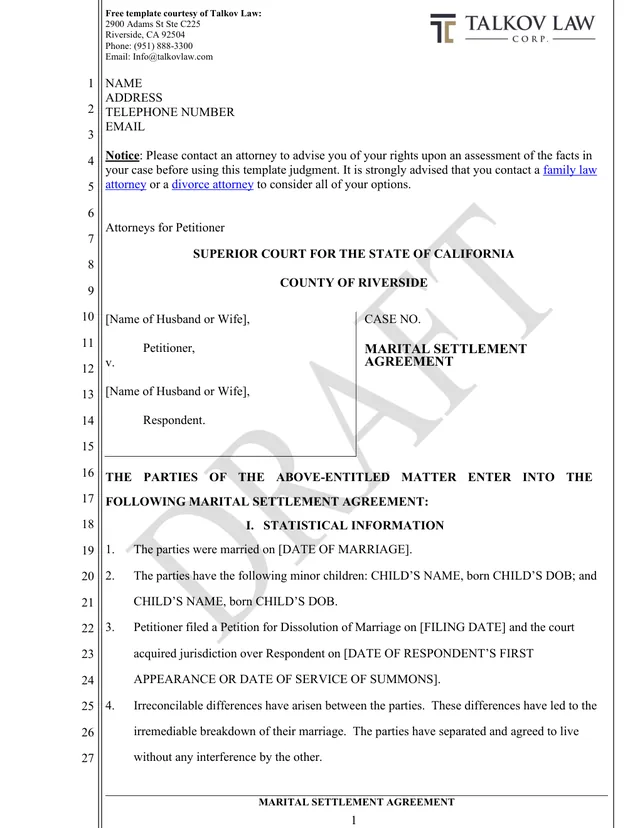
THE PARTIES OF THE ABOVE-ENTITLED MATTER ENTER INTO THE
FOLLOWING MARITAL SETTLEMENT AGREEMENT:
I. STATISTICAL INFORMATION
1.
The parties were married on [DATE OF MARRIAGE].
2.
The parties have the following minor children: CHILD’S NAME, born CHILD’S DOB; and
CHILD’S NAME, born CHILD’S DOB.
3.
Petitioner filed a Petition for Dissolution of Marriage on [FILING DATE] and the court acquired jurisdiction over Respondent on [DATE OF RESPONDENT’S FIRST
APPEARANCE
How to fill it
Fill or edit this form in MePDF
- Preview page 1 to confirm the form name and revision.
- This PDF has no interactive fields, so the fill wizard cannot ask for answers.
- Use the page preview to check the form, then download or print it from the issuing agency.
Fill only the fields that apply and do not change clauses you were not asked to change. Add only the fields the form needs, then flatten the copy when you export.