What's inside
Form content
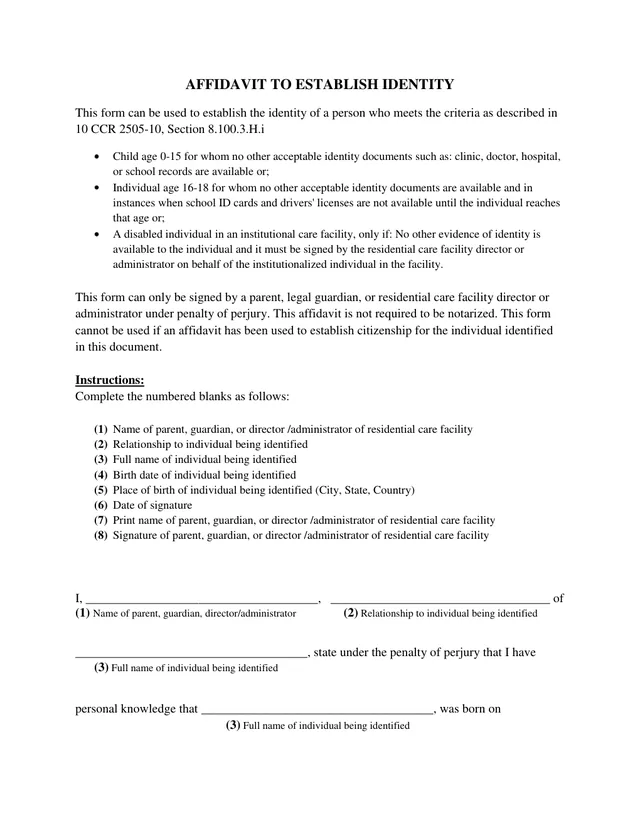
AFFIDAVIT TO ESTABLISH IDENTITY
This form can be used to establish the identity of a person who meets the criteria as described in
10 CCR 2505-10, Section 8.100.3.H.i
Child age 0-15 for whom no other acceptable identity documents such as: clinic, doctor, hospital, or school records are available or;
Individual age 16-18 for whom no other acceptable identity documents are available and in instances when school ID cards and drivers' licenses are not available until the individual reaches that age or;
A disabled individual in an institutional care facility, only if: No other evidence of identity is available to the individual and it must be signed by the residential care facility director or administrator on behalf of the institutionalized individual in the facility.
This form can only be signed by a parent, legal guardian, or residential care facility director or administrator under penalty of perjury. This affidavit is not required to be notarized. This form cannot be used if an affidavit has been used to establish citizenship for the individual identified in this document.
Instructions:
Complete the numbered blanks as follows:
(1) Name of parent, guardian, or director /admini
How to fill it
Fill or edit this form in MePDF
- Preview page 1 to confirm the form name and revision.
- Select Fill form to answer the form one page at a time.
- Type an answer for each field; checkboxes and choices use the form’s own options.
- Preview the finished pages, then download the flattened PDF.
- The downloaded copy is image-only, so it cannot be edited as a form again.
Fill only the fields that apply and do not change clauses you were not asked to change. The editor keeps the original layout while you fill the existing fields.