What's inside
Form content
DR 2304B (06/19/14)
COLORADO DEPARTMENT OF REVENUE
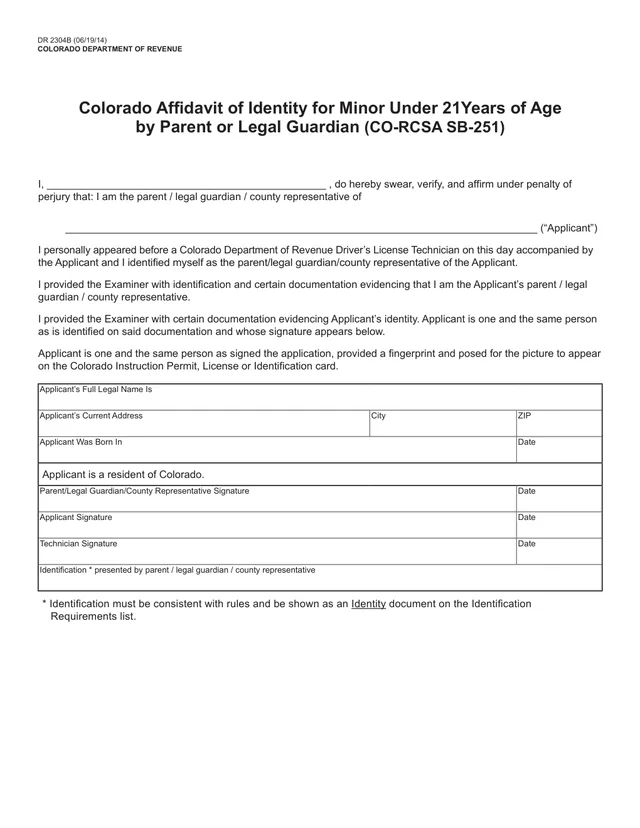
Colorado Affidavit of Identity for Minor Under 21Years of Age by Parent or Legal Guardian (CO-RCSA SB-251)
I, ________________________________________________ , do hereby swear, verify, and affirm under penalty of perjury that: I am the parent / legal guardian / county representative of
__________________________________________________________________________________ (“Applicant”)
I personally appeared before a Colorado Department of Revenue Driver’s License Technician on this day accompanied by the Applicant and I identified myself as the parent/legal guardian/county representative of the Applicant.
I provided the Examiner with identification and certain documentation evidencing that I am the Applicant’s parent / legal guardian / county representative.
I provided the Examiner with certain documentation evidencing Applicant’s identity. Applicant is one and the same person as is identified on said documentation and whose signature appears below.
Applicant is one and the same person as signed the application, provided a fingerprint and posed for the picture to appear on the Colorado Instruction Permit, License or Identification card
How to fill it
Fill or edit this form in MePDF
- Preview page 1 to confirm the form name and revision.
- Select Fill form to answer the form one page at a time.
- Type an answer for each field; checkboxes and choices use the form’s own options.
- Preview the finished pages, then download the flattened PDF.
- The downloaded copy is image-only, so it cannot be edited as a form again.
Fill only the fields that apply and do not change clauses you were not asked to change. The editor keeps the original layout while you fill the existing fields.