What's inside
Form content
(Specify belongings or spaces not included for residents’ use)
(Specify furniture, parking space, storage space, etc., if any)
These items/areas shall be excluded from resident’s use:
(Street address, unit no., city, state, and zip code)
The premises shall also include:
2.
Leased Premises
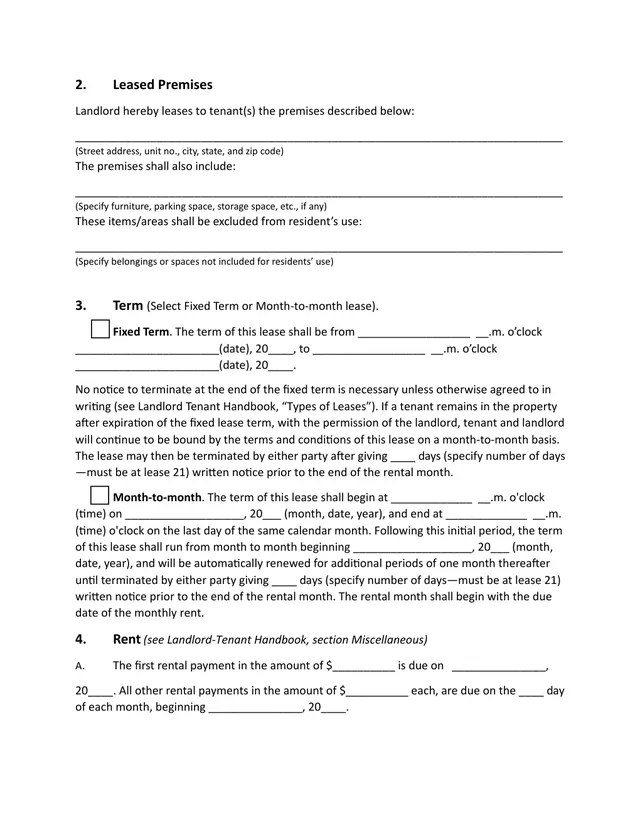
Landlord hereby leases to tenant(s) the premises described below:
3.
Term (Select Fixed Term or Month-to-month lease).
__
__
__
__
Fixed Term. The term of this lease shall be from _
.m. o’clock
(date), 20
, to
.m. o’clock
(date), 20
.
No noƟce to terminate at the end of the fixed term is necessary unless otherwise agreed to in wriƟng (see Landlord Tenant Handbook, “Types of Leases”). If a tenant remains in the property aŌer expiraƟon of the fixed lease term, with the permission of the landlord, tenant and landlord will conƟnue to be bound by the terms and condiƟons of this lease on a month-to-month basis.
The lease may then be terminated by either party aŌer giving days (specify number of days
—must be at lease 21) writen noƟce prior to the end of the rental month.
Month-to-month. The term of this lease shall begin at
.m. o'clock
(Ɵme) on
, 20
(month, date, year), and end at
.m.
(Ɵme) o'clock on the
How to fill it
Fill or edit this form in MePDF
- Preview page 2 to confirm the form name and revision.
- Select Fill form to answer the form one page at a time.
- Type an answer for each field; checkboxes and choices use the form’s own options.
- Preview the finished pages, then download the flattened PDF.
- The downloaded copy is image-only, so it cannot be edited as a form again.
Confirm the property address and the parties' legal names. The editor keeps the original layout while you fill the existing fields.