What's inside
Form content
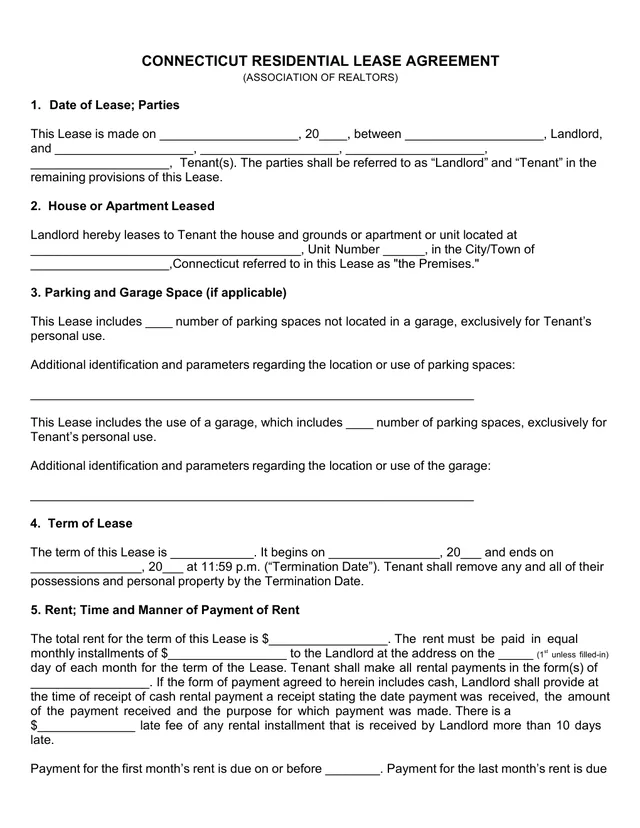
CONNECTICUT RESIDENTIAL LEASE AGREEMENT
(ASSOCIATION OF REALTORS)
1. Date of Lease; Parties
This Lease is made on ____________________, 20____, between ____________________, Landlord, and ____________________, ____________________, ____________________,
____________________, Tenant(s). The parties shall be referred to as “Landlord” and “Tenant” in the remaining provisions of this Lease.
2. House or Apartment Leased
Landlord hereby leases to Tenant the house and grounds or apartment or unit located at
_______________________________________, Unit Number ______, in the City/Town of
____________________,Connecticut referred to in this Lease as "the Premises."
3. Parking and Garage Space (if applicable)
This Lease includes ____ number of parking spaces not located in a garage, exclusively for Tenant’s personal use.
Additional identification and parameters regarding the location or use of parking spaces:
________________________________________________________________
This Lease includes the use of a garage, which includes ____ number of parking spaces, exclusively for
Tenant’s personal use.
Additional identification and parameters regarding the location or use of the garage:
__________
How to fill it
Fill or edit this form in MePDF
- Preview page 1 to confirm the form name and revision.
- Select Fill form to answer the form one page at a time.
- Type an answer for each field; checkboxes and choices use the form’s own options.
- Preview the finished pages, then download the flattened PDF.
- The downloaded copy is image-only, so it cannot be edited as a form again.
Confirm the property address and the parties' legal names. The editor keeps the original layout while you fill the existing fields.