What's inside
Form content
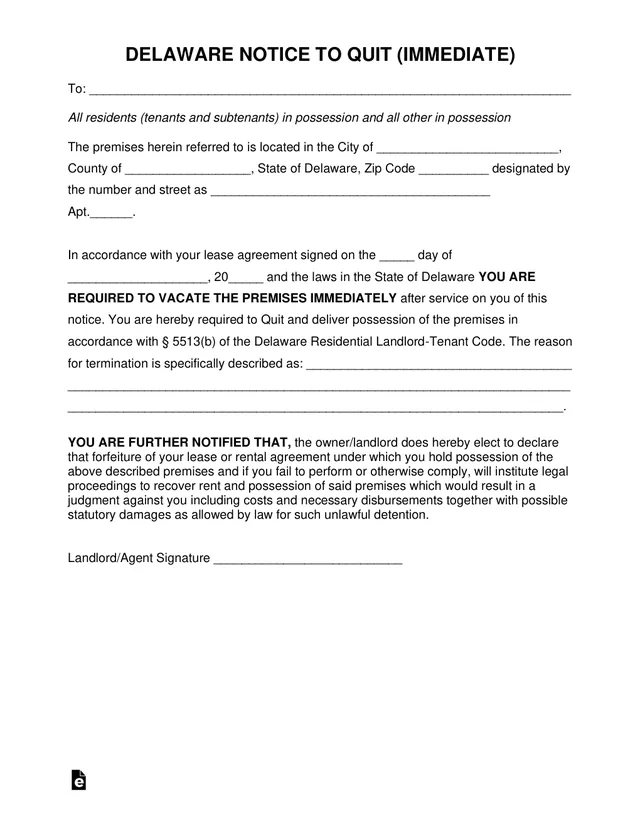
DELAWARE NOTICE TO QUIT (IMMEDIATE)
To: _____________________________________________________________________
All residents (tenants and subtenants) in possession and all other in possession
The premises herein referred to is located in the City of __________________________,
County of __________________, State of Delaware, Zip Code __________ designated by the number and street as ________________________________________
Apt.______.
In accordance with your lease agreement signed on the _____ day of
____________________, 20_____ and the laws in the State of Delaware YOU ARE
REQUIRED TO VACATE THE PREMISES IMMEDIATELY after service on you of this notice. You are hereby required to Quit and deliver possession of the premises in accordance with § 5513(b) of the Delaware Residential Landlord-Tenant Code. The reason for termination is specifically described as: ______________________________________
________________________________________________________________________
_______________________________________________________________________.
YOU ARE FURTHER NOTIFIED THAT, the owner/landlord does hereby elect to declare that forfeiture of your lease or rental agreement under which you h
How to fill it
Fill or edit this form in MePDF
- Preview page 1 to confirm the form name and revision.
- Select Fill form to answer the form one page at a time.
- Type an answer for each field; checkboxes and choices use the form’s own options.
- Preview the finished pages, then download the flattened PDF.
- The downloaded copy is image-only, so it cannot be edited as a form again.
Confirm the property address and the parties' legal names. The editor keeps the original layout while you fill the existing fields.