What's inside
Form content
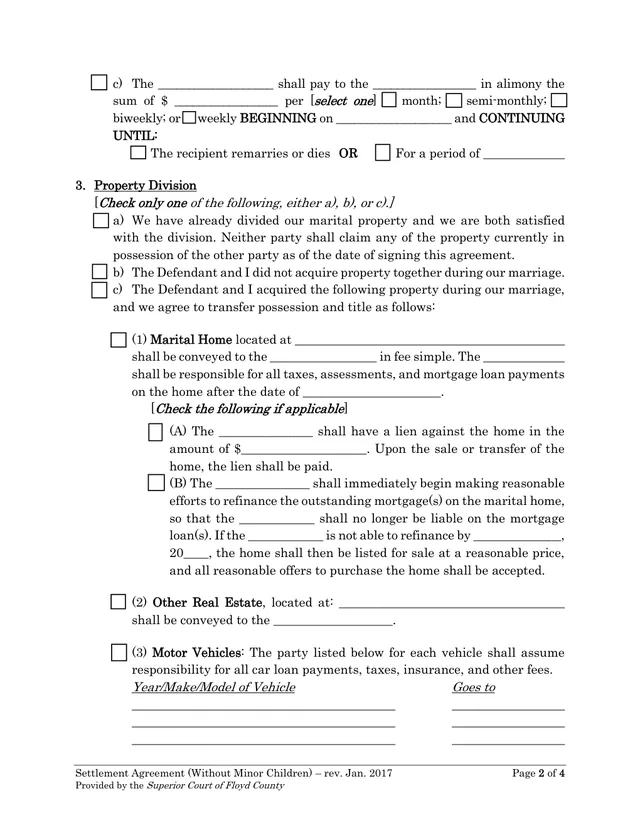
Settlement Agreement (Without Minor Children) – rev. Jan. 2017
Provided by the Superior Court of Floyd County
IN THE SUPERIOR COURT OF FLOYD COUNTY,
STATE OF GEORGIA
__________________________________,
)
Plaintiff,
)
) v.
)
CIVIL ACTION FILE
)
__________________________________,
)
No. __________________________
Defendant
)
SETTLEMENT AGREEMENT WITHOUT MINOR CHILDREN
We, ______________________________ (referred to here as “Plaintiff”) and
_______________________________ (referred to here as “Defendant”) certify the following statements are true:
A. We are married but are now living in a state of separation because of irreconcilable differences with no chance of staying together;
B. We do not have any minor children together AND the Plaintiff/Defendant is not pregnant; and
C. We have freely and voluntarily defined our respective rights and obligations with respect to alimony, property, assets, debts, and so forth in good faith and full disclosure.
THEREFORE, in in consideration of the mutual promises and declarations in this agreement, the parties AGREE AS FOLLOWS:
1. Separation
The parties shall continue to live apart and each one shall be from all interference and control by the ot
How to fill it
Fill or edit this form in MePDF
- Preview page 2 to confirm the form name and revision.
- Select Fill form to answer the form one page at a time.
- Type an answer for each field; checkboxes and choices use the form’s own options.
- Preview the finished pages, then download the flattened PDF.
- The downloaded copy is image-only, so it cannot be edited as a form again.
Fill only the fields that apply and do not change clauses you were not asked to change. The editor keeps the original layout while you fill the existing fields.