What's inside
Form content
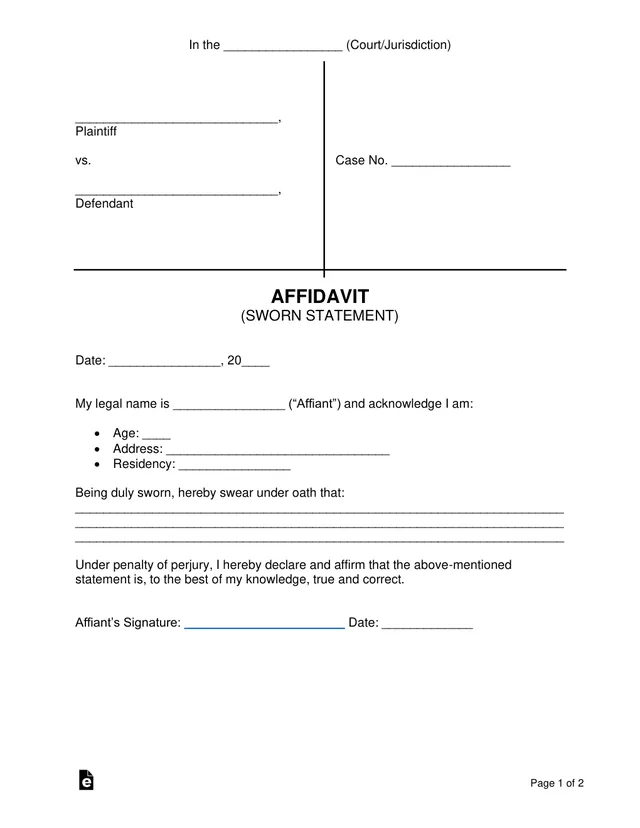
In the _________________ (Court/Jurisdiction)
_____________________________,
Plaintiff vs.
Case No. _________________
_____________________________,
Defendant
AFFIDAVIT
(SWORN STATEMENT)
Date: ________________, 20____
My legal name is ________________ (“Affiant”) and acknowledge I am:
•
Age: ____
•
Address: ________________________________
•
Residency: ________________
Being duly sworn, hereby swear under oath that:
______________________________________________________________________
______________________________________________________________________
______________________________________________________________________
Under penalty of perjury, I hereby declare and affirm that the above-mentioned statement is, to the best of my knowledge, true and correct.
Affiant’s Signature: _______________________ Date: _____________
NOTARY ACKNOWLEDGEMENT
A notary public or other officer completing this certificate verifies only the identity of the individual who signed the document to which this certificate is attached, and not the truthfulness, accuracy, or validity of that document.
State of ________________
County of ________________
On ________________, 20____ before me, ____________
How to fill it
Fill or edit this form in MePDF
- Preview page 1 to confirm the form name and revision.
- Select Fill form to answer the form one page at a time.
- Type an answer for each field; checkboxes and choices use the form’s own options.
- Preview the finished pages, then download the flattened PDF.
- The downloaded copy is image-only, so it cannot be edited as a form again.
Fill only the fields that apply and do not change clauses you were not asked to change. The editor keeps the original layout while you fill the existing fields.