What's inside
Form content
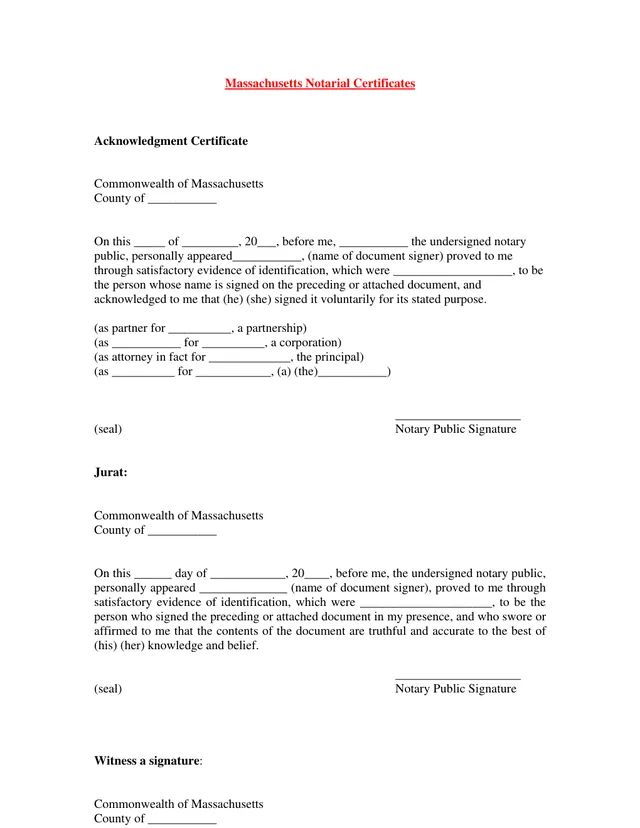
Massachusetts Notarial Certificates
Acknowledgment Certificate
Commonwealth of Massachusetts
County of ___________
On this _____ of _________, 20___, before me, ___________ the undersigned notary public, personally appeared___________, (name of document signer) proved to me through satisfactory evidence of identification, which were ___________________, to be the person whose name is signed on the preceding or attached document, and acknowledged to me that (he) (she) signed it voluntarily for its stated purpose.
(as partner for __________, a partnership)
(as ___________ for __________, a corporation)
(as attorney in fact for _____________, the principal)
(as __________ for ____________, (a) (the)___________)
____________________
(seal)
Notary Public Signature
Jurat:
Commonwealth of Massachusetts
County of ___________
On this ______ day of ____________, 20____, before me, the undersigned notary public, personally appeared ______________ (name of document signer), proved to me through satisfactory evidence of identification, which were _____________________, to be the person who signed the preceding or attached document in my presence, and who swore or affirmed to me that the content
How to fill it
Fill or edit this form in MePDF
- Preview page 1 to confirm the form name and revision.
- This PDF has no interactive fields, so the fill wizard cannot ask for answers.
- Use the page preview to check the form, then download or print it from the issuing agency.
Fill only the fields that apply and do not change clauses you were not asked to change. Add only the fields the form needs, then flatten the copy when you export.