What's inside
Form content
STATE AND COUNTY VITAL RECORDS OFFICES
9/2021
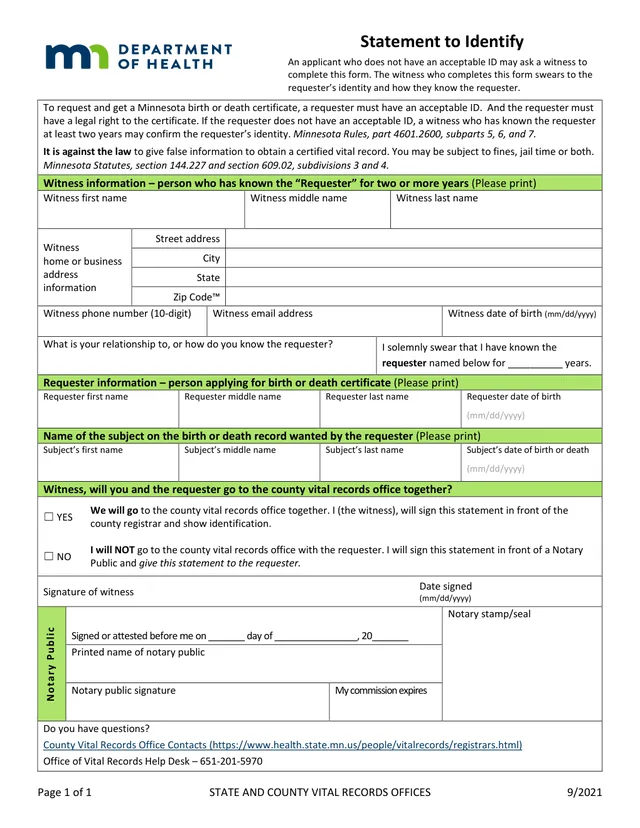
Statement to Identify
An applicant who does not have an acceptable ID may ask a witness to complete this form. The witness who completes this form swears to the requester’s identity and how they know the requester.
To request and get a Minnesota birth or death certificate, a requester must have an acceptable ID. And the requester must have a legal right to the certificate. If the requester does not have an acceptable ID, a witness who has known the requester at least two years may confirm the requester’s identity. Minnesota Rules, part 4601.2600, subparts 5, 6, and 7.
It is against the law to give false information to obtain a certified vital record. You may be subject to fines, jail time or both.
Minnesota Statutes, section 144.227 and section 609.02, subdivisions 3 and 4.
Witness information – person who has known the “Requester” for two or more years (Please print)
Witness first name
Witness middle name
Witness last name
Witness home or business address information
Street address
City
State
Zip Code™
Witness phone number (10-digit)
Witness email address
Witness date of birth (mm/dd/yyyy)
What is your relationship to, or how do you kn
How to fill it
Fill or edit this form in MePDF
- Preview page 1 to confirm the form name and revision.
- Select Fill form to answer the form one page at a time.
- Type an answer for each field; checkboxes and choices use the form’s own options.
- Preview the finished pages, then download the flattened PDF.
- The downloaded copy is image-only, so it cannot be edited as a form again.
Fill only the fields that apply and do not change clauses you were not asked to change. The editor keeps the original layout while you fill the existing fields.