What's inside
Form content
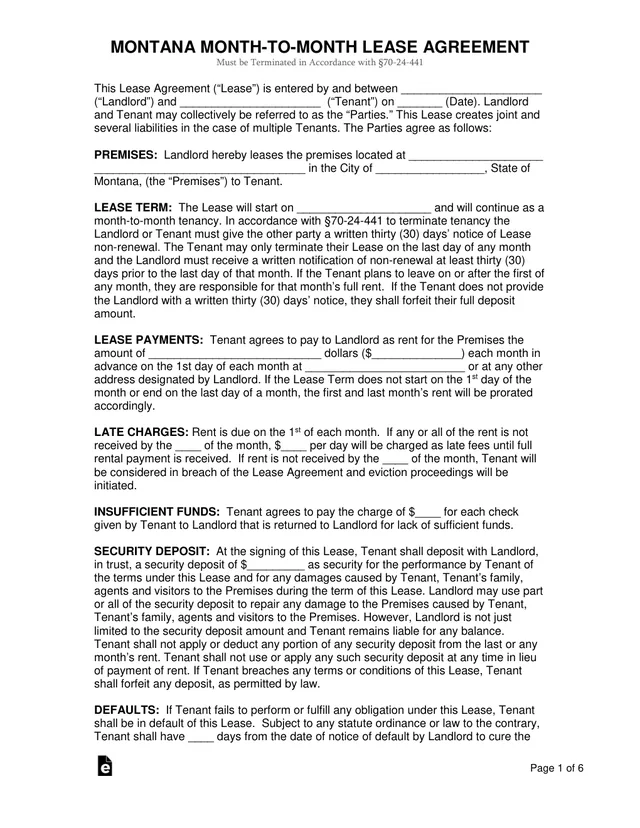
MONTANA MONTH-TO-MONTH LEASE AGREEMENT
Must be Terminated in Accordance with §70-24-441
This Lease Agreement (“Lease”) is entered by and between ______________________
(“Landlord”) and ______________________ (“Tenant”) on _______ (Date). Landlord and Tenant may collectively be referred to as the “Parties.” This Lease creates joint and several liabilities in the case of multiple Tenants. The Parties agree as follows:
PREMISES: Landlord hereby leases the premises located at _____________________
_________________________________ in the City of _________________, State of
Montana, (the “Premises”) to Tenant.
LEASE TERM: The Lease will start on _____________________ and will continue as a month-to-month tenancy. In accordance with §70-24-441 to terminate tenancy the
Landlord or Tenant must give the other party a written thirty (30) days’ notice of Lease non-renewal. The Tenant may only terminate their Lease on the last day of any month and the Landlord must receive a written notification of non-renewal at least thirty (30) days prior to the last day of that month. If the Tenant plans to leave on or after the first of any month, they are responsible for that month’s full rent. If the Te
How to fill it
Fill or edit this form in MePDF
- Preview page 1 to confirm the form name and revision.
- Select Fill form to answer the form one page at a time.
- Type an answer for each field; checkboxes and choices use the form’s own options.
- Preview the finished pages, then download the flattened PDF.
- The downloaded copy is image-only, so it cannot be edited as a form again.
Confirm the property address and the parties' legal names. The editor keeps the original layout while you fill the existing fields.