What's inside
Form content
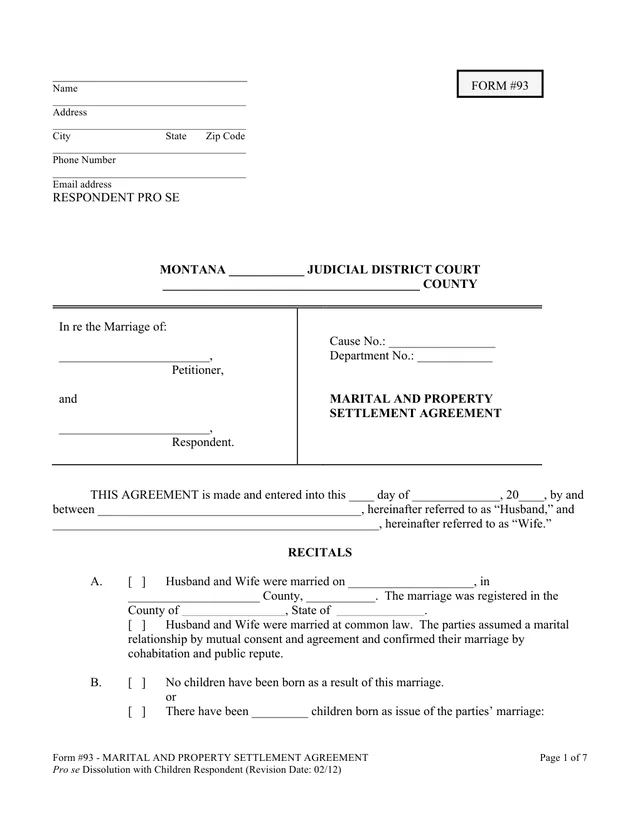
Form #93 - MARITAL AND PROPERTY SETTLEMENT AGREEMENT
Pro se Dissolution with Children Respondent (Revision Date: 02/12)
_______________________________
Name
_____________________________________
Address
_____________________________________
City
State
Zip Code
_____________________________________
Phone Number
_____________________________________
Email address
RESPONDENT PRO SE
MONTANA ____________ JUDICIAL DISTRICT COURT
_________________________________________ COUNTY
In re the Marriage of:
________________________,
Petitioner, and
________________________,
Respondent.
Cause No.: _________________
Department No.: ____________
MARITAL AND PROPERTY
SETTLEMENT AGREEMENT
THIS AGREEMENT is made and entered into this ____ day of ______________, 20____, by and between __________________________________________, hereinafter referred to as “Husband,” and
____________________________________________________, hereinafter referred to as “Wife.”
RECITALS
A.
[ ]
Husband and Wife were married on ____________________, in
_____________________ County, ___________. The marriage was registered in the
County of , State of .
[ ]
Husband and Wife were married at common law. The parties assumed a mari
How to fill it
Fill or edit this form in MePDF
- Preview page 1 to confirm the form name and revision.
- This PDF has no interactive fields, so the fill wizard cannot ask for answers.
- Use the page preview to check the form, then download or print it from the issuing agency.
Fill only the fields that apply and do not change clauses you were not asked to change. Add only the fields the form needs, then flatten the copy when you export.