What's inside
Form content
The North Carolina Division of Social Services does not discriminate against any person on the basis of race, color, national origin, disability, sex, or age in the admission, treatment, or participation in its programs, services and activities, or in employment.
DSS- 5275 (rev.05/13)
Economic and Family Services
Case Name: ________________________
Case ID: ___________________________
Worker #: __________________________
______________________ County Department of Social Services
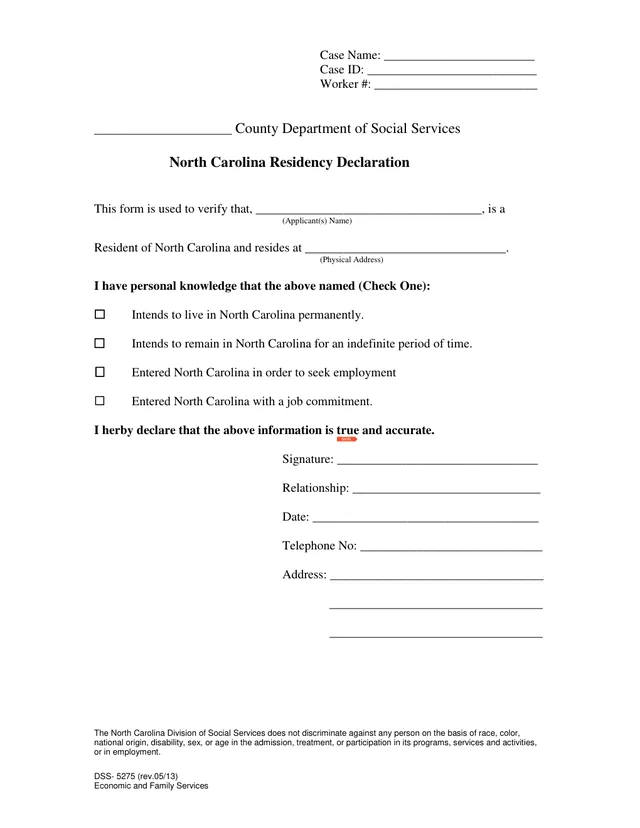
North Carolina Residency Declaration
This form is used to verify that, ____________________________________, is a
(Applicant(s) Name)
Resident of North Carolina and resides at ________________________________.
(Physical Address)
I have personal knowledge that the above named (Check One):
Intends to live in North Carolina permanently.
Intends to remain in North Carolina for an indefinite period of time.
Entered North Carolina in order to seek employment
Entered North Carolina with a job commitment.
I herby declare that the above information is true and accurate.
Signature: ________________________________
Relationship: ______________________________
Date: ____________________________________
Telepho
How to fill it
Fill or edit this form in MePDF
- Preview page 1 to confirm the form name and revision.
- Select Fill form to answer the form one page at a time.
- Type an answer for each field; checkboxes and choices use the form’s own options.
- Preview the finished pages, then download the flattened PDF.
- The downloaded copy is image-only, so it cannot be edited as a form again.
Fill only the fields that apply and do not change clauses you were not asked to change. The editor keeps the original layout while you fill the existing fields.