What's inside
Form content
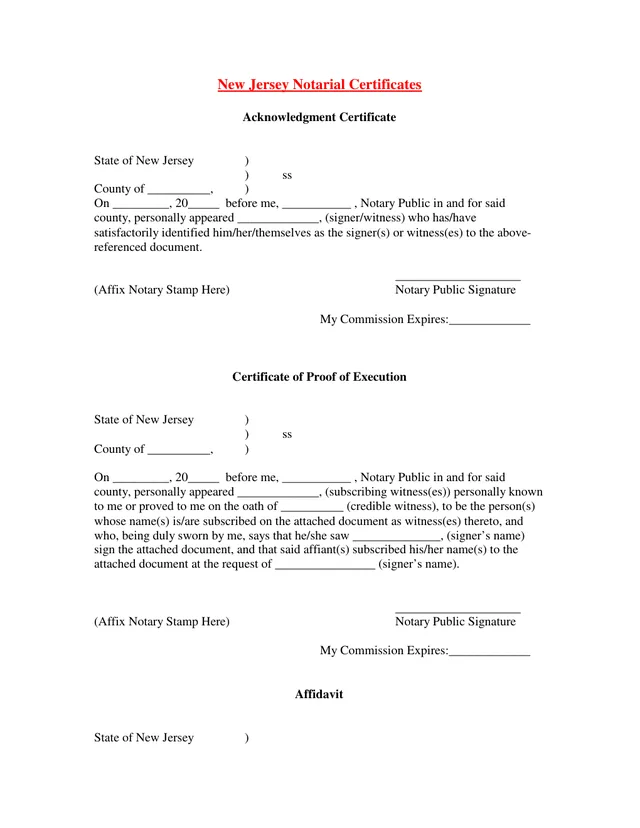
New Jersey Notarial Certificates
Acknowledgment Certificate
State of New Jersey
)
) ss
County of __________,
)
On _________, 20_____ before me, ___________ , Notary Public in and for said county, personally appeared _____________, (signer/witness) who has/have satisfactorily identified him/her/themselves as the signer(s) or witness(es) to the above- referenced document.
____________________
(Affix Notary Stamp Here)
Notary Public Signature
My Commission Expires:_____________
Certificate of Proof of Execution
State of New Jersey
)
) ss
County of __________,
)
On _________, 20_____ before me, ___________ , Notary Public in and for said county, personally appeared _____________, (subscribing witness(es)) personally known to me or proved to me on the oath of __________ (credible witness), to be the person(s) whose name(s) is/are subscribed on the attached document as witness(es) thereto, and who, being duly sworn by me, says that he/she saw ______________, (signer’s name) sign the attached document, and that said affiant(s) subscribed his/her name(s) to the attached document at the request of ________________ (signer’s name).
____________________
(Affix Notary Stamp Here)
Notary Public
How to fill it
Fill or edit this form in MePDF
- Preview page 1 to confirm the form name and revision.
- This PDF has no interactive fields, so the fill wizard cannot ask for answers.
- Use the page preview to check the form, then download or print it from the issuing agency.
Fill only the fields that apply and do not change clauses you were not asked to change. Add only the fields the form needs, then flatten the copy when you export.