What's inside
Form content
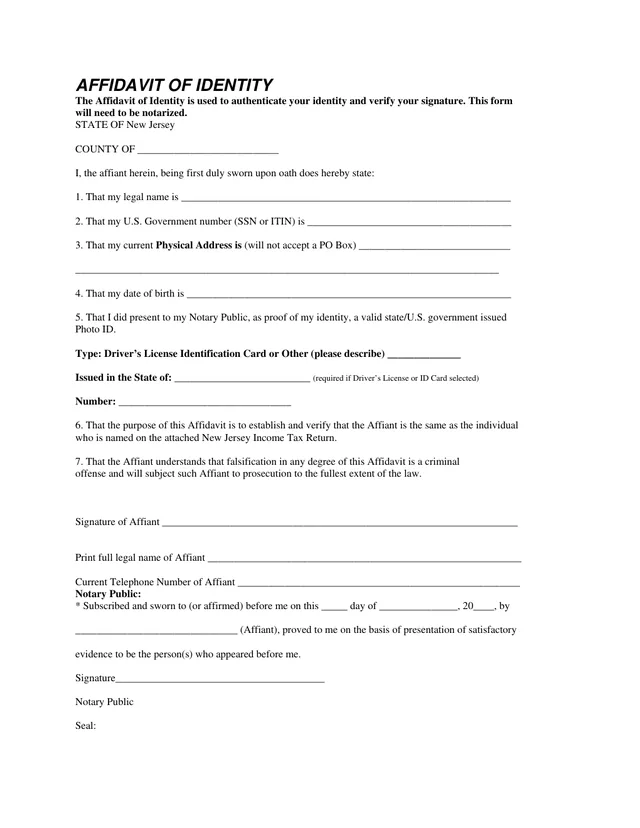
AFFIDAVIT OF IDENTITY
The Affidavit of Identity is used to authenticate your identity and verify your signature. This form will need to be notarized.
STATE OF New Jersey
COUNTY OF ___________________________
I, the affiant herein, being first duly sworn upon oath does hereby state:
1. That my legal name is _______________________________________________________________
2. That my U.S. Government number (SSN or ITIN) is _______________________________________
3. That my current Physical Address is (will not accept a PO Box) _____________________________
_________________________________________________________________________________
4. That my date of birth is ______________________________________________________________
5. That I did present to my Notary Public, as proof of my identity, a valid state/U.S. government issued
Photo ID.
Type: Driver’s License Identification Card or Other (please describe) ______________
Issued in the State of: __________________________ (required if Driver’s License or ID Card selected)
Number: _________________________________
6. That the purpose of this Affidavit is to establish and verify that the Affiant is the same as the individual who is named
How to fill it
Fill or edit this form in MePDF
- Preview page 1 to confirm the form name and revision.
- Select Fill form to answer the form one page at a time.
- Type an answer for each field; checkboxes and choices use the form’s own options.
- Preview the finished pages, then download the flattened PDF.
- The downloaded copy is image-only, so it cannot be edited as a form again.
Fill only the fields that apply and do not change clauses you were not asked to change. The editor keeps the original layout while you fill the existing fields.