What's inside
Form content
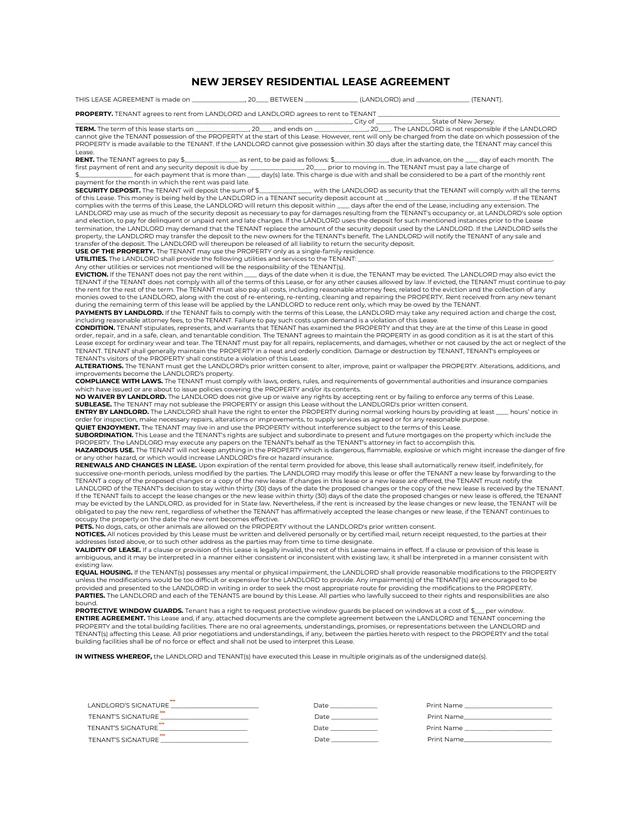
NEW JERSEY RESIDENTIAL LEASE AGREEMENT
THIS LEASE AGREEMENT is made on _________________, 20____ BETWEEN _________________ (LANDLORD) and _________________ (TENANT).
PROPERTY. TENANT agrees to rent from LANDLORD and LANDLORD agrees to rent to TENANT __________________________________________________________
________________________________________________________________________________________, City of _________________, State of New Jersey.
TERM. The term of this lease starts on _________________, 20____ and ends on _________________, 20____. The LANDLORD is not responsible if the LANDLORD cannot give the TENANT possession of the PROPERTY at the start of this Lease. However, rent will only be charged from the date on which possession of the
PROPERTY is made available to the TENANT. If the LANDLORD cannot give possession within 30 days after the starting date, the TENANT may cancel this
Lease.
RENT. The TENANT agrees to pay $_________________ as rent, to be paid as follows: $_________________, due, in advance, on the ____ day of each month. The first payment of rent and any security deposit is due by _________________, 20____ prior to moving in. The TENANT must pay a late charge o
How to fill it
Fill or edit this form in MePDF
- Preview page 1 to confirm the form name and revision.
- Select Fill form to answer the form one page at a time.
- Type an answer for each field; checkboxes and choices use the form’s own options.
- Preview the finished pages, then download the flattened PDF.
- The downloaded copy is image-only, so it cannot be edited as a form again.
Confirm the property address and the parties' legal names. The editor keeps the original layout while you fill the existing fields.