What's inside
Form content
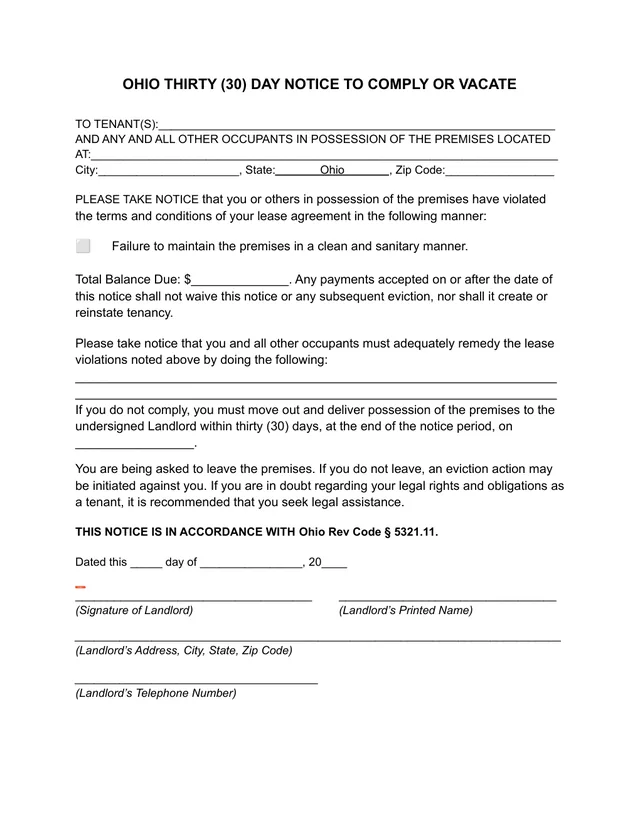
OHIO THIRTY (30) DAY NOTICE TO COMPLY OR VACATE
TO TENANT(S):______________________________________________________________
AND ANY AND ALL OTHER OCCUPANTS IN POSSESSION OF THE PREMISES LOCATED
AT:_________________________________________________________________________
City:______________________, State:
Ohio
, Zip Code:_________________
PLEASE TAKE NOTICE that you or others in possession of the premises have violated the terms and conditions of your lease agreement in the following manner:
⬜ Failure to maintain the premises in a clean and sanitary manner.
Total Balance Due: $______________. Any payments accepted on or after the date of this notice shall not waive this notice or any subsequent eviction, nor shall it create or reinstate tenancy.
Please take notice that you and all other occupants must adequately remedy the lease violations noted above by doing the following:
_____________________________________________________________________
_____________________________________________________________________
If you do not comply, you must move out and deliver possession of the premises to the undersigned Landlord within thirty (30) days, at the end of the notice period, on
____
How to fill it
Fill or edit this form in MePDF
- Preview page 1 to confirm the form name and revision.
- Select Fill form to answer the form one page at a time.
- Type an answer for each field; checkboxes and choices use the form’s own options.
- Preview the finished pages, then download the flattened PDF.
- The downloaded copy is image-only, so it cannot be edited as a form again.
Confirm the property address and the parties' legal names. The editor keeps the original layout while you fill the existing fields.