What's inside
Form content
-
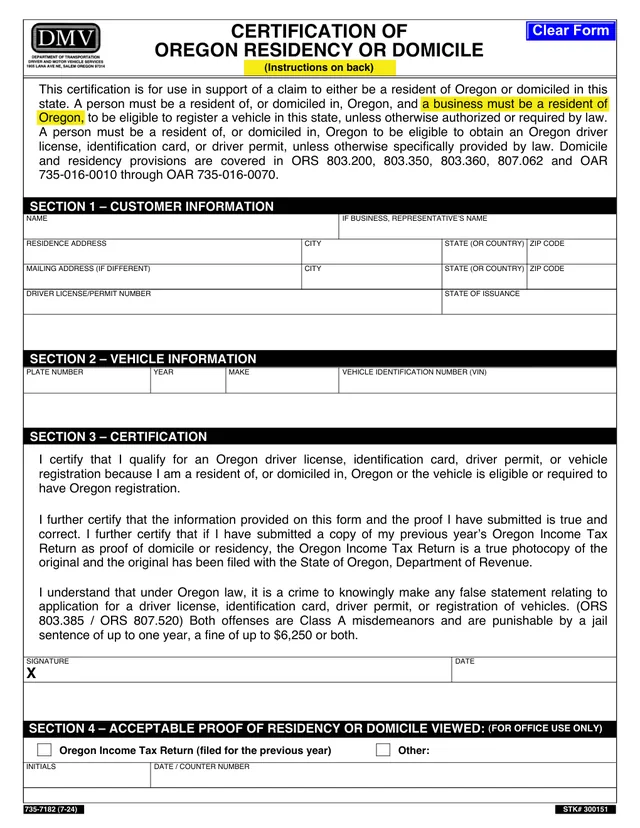
CERTIFICATION OF
OREGON RESIDENCY OR DOMICILE
(Instructions on back)
This certification is for use in support of a claim to either be a resident of Oregon or domiciled in this state. A person must be a resident of, or domiciled in, Oregon, and a business must be a resident of
Oregon, to be eligible to register a vehicle in this state, unless otherwise authorized or required by law.
A person must be a resident of, or domiciled in, Oregon to be eligible to obtain an Oregon driver license, identification card, or driver permit, unless otherwise specifically provided by law. Domicile and residency provisions are covered in ORS 803.200, 803.350, 803.360, 807.062 and OAR
735-016-0010 through OAR 735-016-0070.
SECTION 1 – CUSTOMER INFORMATION
NAME
IF BUSINESS, REPRESENTATIVE’S NAME
RESIDENCE ADDRESS
CITY
STATE (OR COUNTRY) ZIP CODE
MAILING ADDRESS (IF DIFFERENT)
CITY
STATE (OR COUNTRY) ZIP CODE
DRIVER LICENSE/PERMIT NUMBER
STATE OF ISSUANCE
SECTION 2 – VEHICLE INFORMATION
PLATE NUMBER
YEAR
MAKE
VEHICLE IDENTIFICATION NUMBER (VIN)
SECTION 3 – CERTIFICATION
I certify that I qualify for an Oregon driver license, identification card, driver permit, or vehicle registration because I am a res
How to fill it
Fill or edit this form in MePDF
- Preview page 1 to confirm the form name and revision.
- Select Fill form to answer the form one page at a time.
- Type an answer for each field; checkboxes and choices use the form’s own options.
- Preview the finished pages, then download the flattened PDF.
- The downloaded copy is image-only, so it cannot be edited as a form again.
Fill only the fields that apply and do not change clauses you were not asked to change. The editor keeps the original layout while you fill the existing fields.