What's inside
Form content
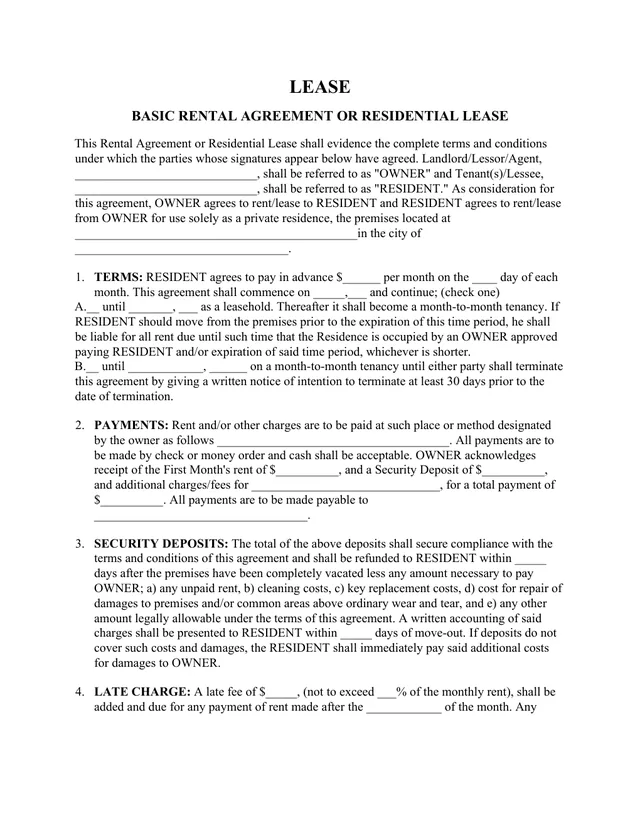
LEASE
BASIC RENTAL AGREEMENT OR RESIDENTIAL LEASE
This Rental Agreement or Residential Lease shall evidence the complete terms and conditions under which the parties whose signatures appear below have agreed. Landlord/Lessor/Agent,
, shall be referred to as "OWNER" and Tenant(s)/Lessee,
, shall be referred to as "RESIDENT." As consideration for this agreement, OWNER agrees to rent/lease to RESIDENT and RESIDENT agrees to rent/lease from OWNER for use solely as a private residence, the premises located at in the city of
.
1. TERMS: RESIDENT agrees to pay in advance $_ per month on the day of each month. This agreement shall commence on
, and continue; (check one)
A.
until
, as a leasehold. Thereafter it shall become a month-to-month tenancy. If
RESIDENT should move from the premises prior to the expiration of this time period, he shall be liable for all rent due until such time that the Residence is occupied by an OWNER approved paying RESIDENT and/or expiration of said time period, whichever is shorter.
B.
until
, on a month-to-month tenancy until either party shall terminate this agreement by giving a written notice of intention to terminate at least 30 days prior to the date of t
How to fill it
Fill or edit this form in MePDF
- Preview page 1 to confirm the form name and revision.
- Select Fill form to answer the form one page at a time.
- Type an answer for each field; checkboxes and choices use the form’s own options.
- Preview the finished pages, then download the flattened PDF.
- The downloaded copy is image-only, so it cannot be edited as a form again.
Confirm the property address and the parties' legal names. The editor keeps the original layout while you fill the existing fields.