What's inside
Form content
DC-63 (revised May 2024)
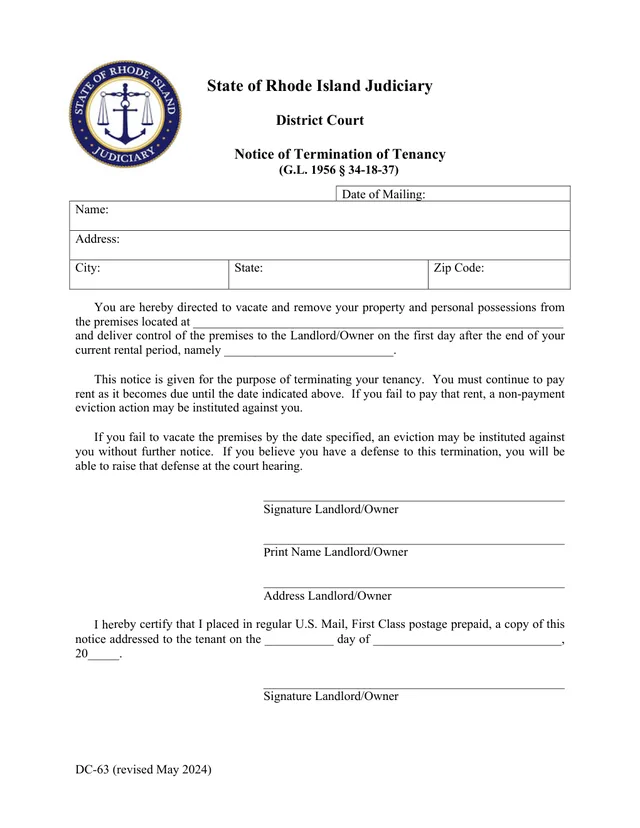
State of Rhode Island Judiciary
District Court
Notice of Termination of Tenancy
(G.L. 1956 § 34-18-37)
Date of Mailing:
Name:
Address:
City:
State:
Zip Code:
You are hereby directed to vacate and remove your property and personal possessions from the premises located at ___________________________________________________________ and deliver control of the premises to the Landlord/Owner on the first day after the end of your current rental period, namely ___________________________.
This notice is given for the purpose of terminating your tenancy. You must continue to pay rent as it becomes due until the date indicated above. If you fail to pay that rent, a non-payment eviction action may be instituted against you.
If you fail to vacate the premises by the date specified, an eviction may be instituted against you without further notice. If you believe you have a defense to this termination, you will be able to raise that defense at the court hearing.
________________________________________________
Signature Landlord/Owner
________________________________________________
Print Name Landlord/Owner
________________________________________________
Address Landl
How to fill it
Fill or edit this form in MePDF
- Preview page 1 to confirm the form name and revision.
- Select Fill form to answer the form one page at a time.
- Type an answer for each field; checkboxes and choices use the form’s own options.
- Preview the finished pages, then download the flattened PDF.
- The downloaded copy is image-only, so it cannot be edited as a form again.
Confirm the property address and the parties' legal names. The editor keeps the original layout while you fill the existing fields.