What's inside
Form content
__________________________________________
__________________________________________
__________________________________________
__________________________________________
__________________________________________
____________________________________________________________
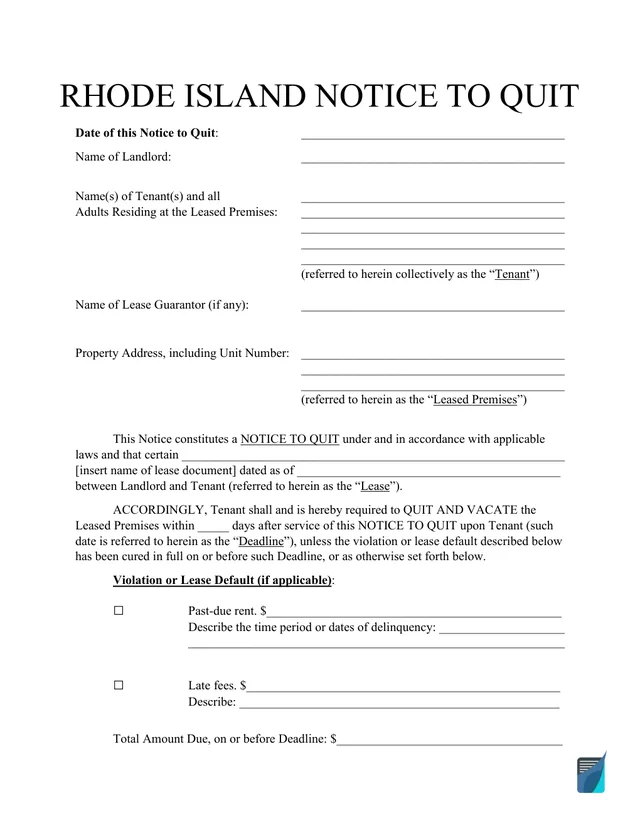
RHODE ISLAND NOTICE TO QUIT
Date of this Notice to Quit:
__________________________________________
Name of Landlord:
__________________________________________
Name(s) of Tenant(s) and all
__________________________________________
Adults Residing at the Leased Premises:
__________________________________________
(referred to herein collectively as the “Tenant”)
Name of Lease Guarantor (if any):
__________________________________________
Property Address, including Unit Number: __________________________________________
(referred to herein as the “Leased Premises”)
This Notice constitutes a NOTICE TO QUIT under and in accordance with applicable laws and that certain _____________________________________________________________
[insert name of lease document] dated as of __________________________________________ between Landlord and Tenant (referred to herein as the “Lease”).
ACCORDINGLY, Tenant shall and is h
How to fill it
Fill or edit this form in MePDF
- Preview page 1 to confirm the form name and revision.
- Select Fill form to answer the form one page at a time.
- Type an answer for each field; checkboxes and choices use the form’s own options.
- Preview the finished pages, then download the flattened PDF.
- The downloaded copy is image-only, so it cannot be edited as a form again.
Confirm the property address and the parties' legal names. The editor keeps the original layout while you fill the existing fields.