What's inside
Form content
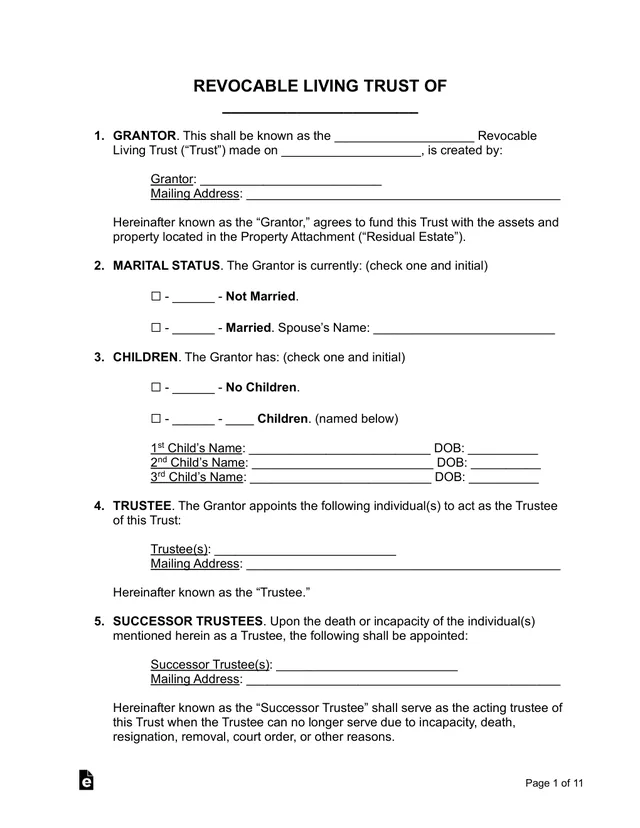
REVOCABLE LIVING TRUST OF
_____________________
1. GRANTOR. This shall be known as the ____________________ Revocable
Living Trust (“Trust”) made on ____________________, is created by:
Grantor: __________________________
Mailing Address: _____________________________________________
Hereinafter known as the “Grantor,” agrees to fund this Trust with the assets and property located in the Property Attachment (“Residual Estate”).
2. MARITAL STATUS. The Grantor is currently: (check one and initial)
☐- ______ - Not Married.
☐- ______ - Married. Spouse’s Name: __________________________
3. CHILDREN. The Grantor has: (check one and initial)
☐- ______ - No Children.
☐- ______ - ____ Children. (named below)
1st Child’s Name: __________________________ DOB: __________
2nd Child’s Name: __________________________ DOB: __________
3rd Child’s Name: __________________________ DOB: __________
4. TRUSTEE. The Grantor appoints the following individual(s) to act as the Trustee of this Trust:
Trustee(s): __________________________
Mailing Address: _____________________________________________
Hereinafter known as the “Trustee.”
5. SUCCESSOR TRUSTEES. Upon the death or incapacity of the individual(s)
How to fill it
Fill or edit this form in MePDF
- Preview page 1 to confirm the form name and revision.
- Select Fill form to answer the form one page at a time.
- Type an answer for each field; checkboxes and choices use the form’s own options.
- Preview the finished pages, then download the flattened PDF.
- The downloaded copy is image-only, so it cannot be edited as a form again.
Fill only the fields that apply and do not change clauses you were not asked to change. The editor keeps the original layout while you fill the existing fields.