What's inside
Form content
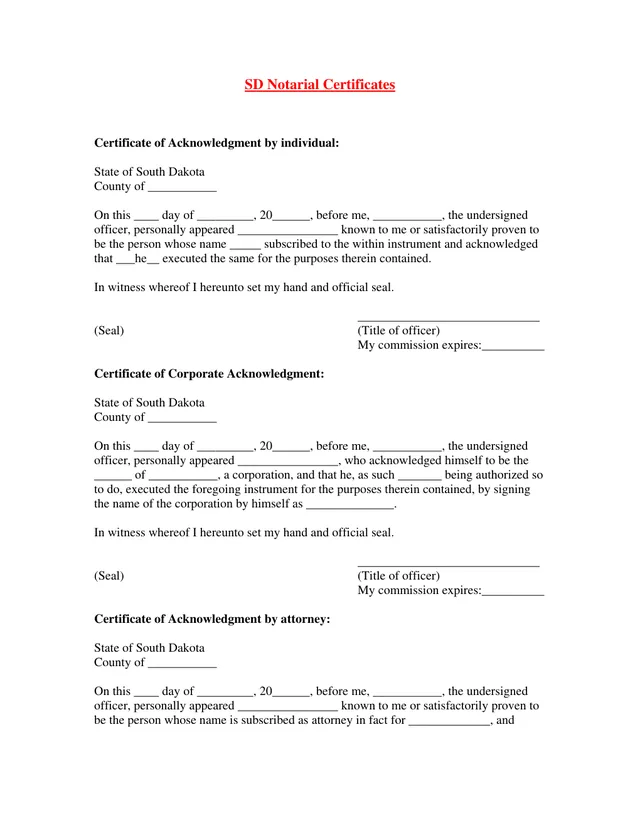
SD Notarial Certificates
Certificate of Acknowledgment by individual:
State of South Dakota
County of ___________
On this ____ day of _________, 20______, before me, ___________, the undersigned officer, personally appeared ________________ known to me or satisfactorily proven to be the person whose name _____ subscribed to the within instrument and acknowledged that ___he__ executed the same for the purposes therein contained.
In witness whereof I hereunto set my hand and official seal.
_____________________________
(Seal)
(Title of officer)
My commission expires:__________
Certificate of Corporate Acknowledgment:
State of South Dakota
County of ___________
On this ____ day of _________, 20______, before me, ___________, the undersigned officer, personally appeared ________________, who acknowledged himself to be the
______ of ___________, a corporation, and that he, as such _______ being authorized so to do, executed the foregoing instrument for the purposes therein contained, by signing the name of the corporation by himself as ______________.
In witness whereof I hereunto set my hand and official seal.
_____________________________
(Seal)
(Title of officer)
My commission expire
How to fill it
Fill or edit this form in MePDF
- Preview page 1 to confirm the form name and revision.
- This PDF has no interactive fields, so the fill wizard cannot ask for answers.
- Use the page preview to check the form, then download or print it from the issuing agency.
Fill only the fields that apply and do not change clauses you were not asked to change. Add only the fields the form needs, then flatten the copy when you export.