What's inside
Form content
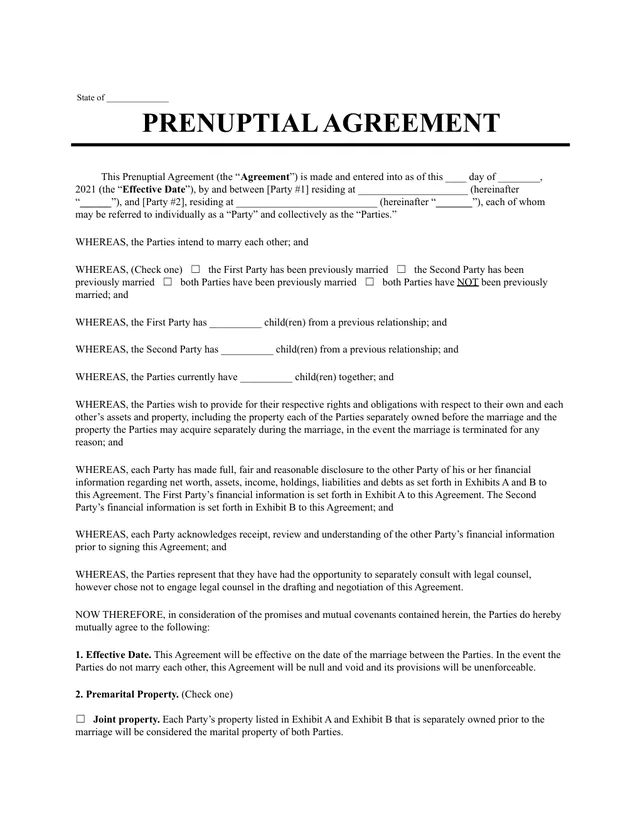
State of ______________
PRENUPTIAL AGREEMENT
This Prenuptial Agreement (the “Agreement”) is made and entered into as of this ____ day of ________,
2021 (the “Effective Date”), by and between [Party #1] residing at _____________________ (hereinafter
“______”), and [Party #2], residing at ___________________________ (hereinafter “_______”), each of whom may be referred to individually as a “Party” and collectively as the “Parties.”
WHEREAS, the Parties intend to marry each other; and
WHEREAS, (Check one) ☐ the First Party has been previously married ☐ the Second Party has been previously married ☐ both Parties have been previously married ☐ both Parties have NOT been previously married; and
WHEREAS, the First Party has __________ child(ren) from a previous relationship; and
WHEREAS, the Second Party has __________ child(ren) from a previous relationship; and
WHEREAS, the Parties currently have __________ child(ren) together; and
WHEREAS, the Parties wish to provide for their respective rights and obligations with respect to their own and each other’s assets and property, including the property each of the Parties separately owned before the marriage and the property the Parties may a
How to fill it
Fill or edit this form in MePDF
- Preview page 1 to confirm the form name and revision.
- This PDF has no interactive fields, so the fill wizard cannot ask for answers.
- Use the page preview to check the form, then download or print it from the issuing agency.
Fill only the fields that apply and do not change clauses you were not asked to change. Add only the fields the form needs, then flatten the copy when you export.