What's inside
Form content
IN THE CHANCERY COURT OF SHELBY COUNTY, TENNESSEE
FOR THE THIRTIETH JUDICIAL DISTRICT AT MEMPHIS
_________________________
Plaintiff/Petitioner vs.
Docket No. ___________________
_________________________
Defendant/Respondent
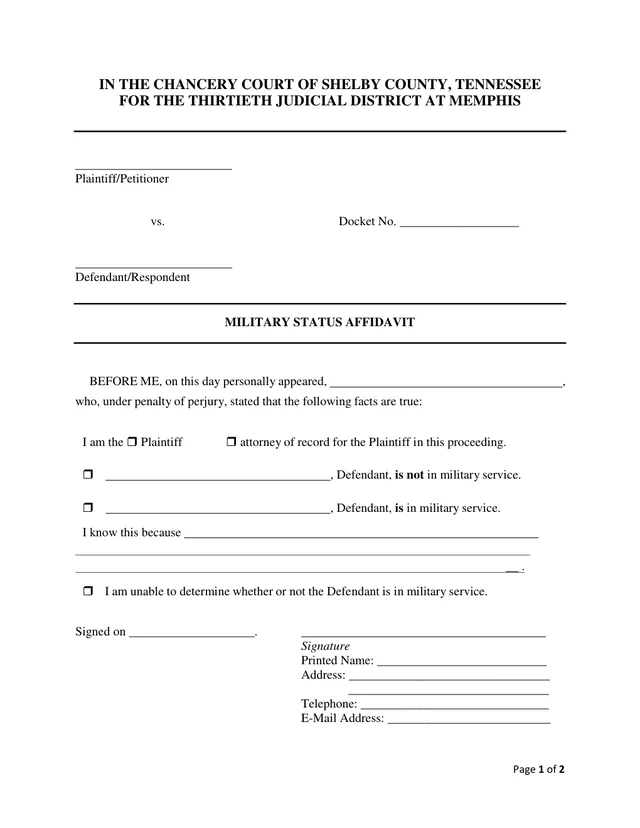
MILITARY STATUS AFFIDAVIT
BEFORE ME, on this day personally appeared,
, who, under penalty of perjury, stated that the following facts are true:
I am the Plaintiff
attorney of record for the Plaintiff in this proceeding.
, Defendant, is not in military service.
, Defendant, is in military service.
I know this because
__ .
I am unable to determine whether or not the Defendant is in military service.
Signed on ____________________.
_______________________________________
Signature
Printed Name: ___________________________
Address: ________________________________
________________________________
Telephone: ______________________________
E-Mail Address: __________________________
STATE OF TENNESSEE
COUNTY OF SHELBY
SWORN TO AND SUBSCRIBED BEFORE ME on this _______ day of ________________.
W. Aaron Hall, Clerk and Master
OR
____________________________________
Notary Public
By: __________________________
Deputy Clerk
My commission expires: _______________
How to fill it
Fill or edit this form in MePDF
- Preview page 1 to confirm the form name and revision.
- Select Fill form to answer the form one page at a time.
- Type an answer for each field; checkboxes and choices use the form’s own options.
- Preview the finished pages, then download the flattened PDF.
- The downloaded copy is image-only, so it cannot be edited as a form again.
Use the service member's full legal name and current unit details. The editor keeps the original layout while you fill the existing fields.