What's inside
Form content
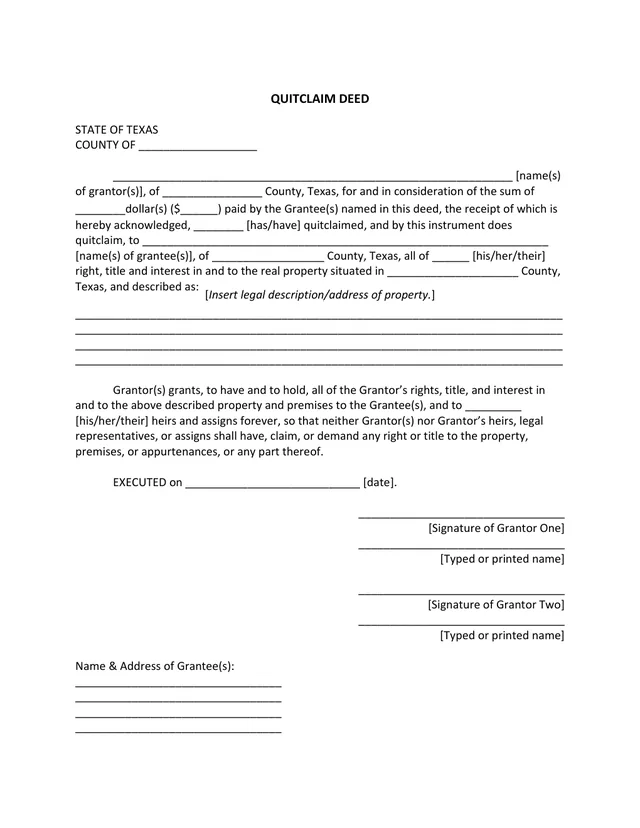
QUITCLAIM DEED
STATE OF TEXAS
COUNTY OF ___________________
________________________________________________________________ [name(s) of grantor(s)], of ________________ County, Texas, for and in consideration of the sum of
________dollar(s) ($______) paid by the Grantee(s) named in this deed, the receipt of which is hereby acknowledged, ________ [has/have] quitclaimed, and by this instrument does quitclaim, to _________________________________________________________________
[name(s) of grantee(s)], of __________________ County, Texas, all of ______ [his/her/their] right, title and interest in and to the real property situated in _____________________ County,
Texas, and described as: [Insert legal description/address of property.]
______________________________________________________________________________
______________________________________________________________________________
______________________________________________________________________________
______________________________________________________________________________
Grantor(s) grants, to have and to hold, all of the Grantor’s rights, title, and interest in and to the above described property and premises t
How to fill it
Fill or edit this form in MePDF
- Preview page 1 to confirm the form name and revision.
- Select Fill form to answer the form one page at a time.
- Type an answer for each field; checkboxes and choices use the form’s own options.
- Preview the finished pages, then download the flattened PDF.
- The downloaded copy is image-only, so it cannot be edited as a form again.
Confirm the property address and the parties' legal names. The editor keeps the original layout while you fill the existing fields.