What's inside
Form content
Table of Contents
Pro Se Divorce Brochure
Fairfax Public Law Library Resources
Pro Se Divorce Forms Index
Attachment 1A - Complaint 6 mos
Attachment 1B - Complaint 1 year
Attachment 2 - VS4
Attachment 3 - Coversheet
Attachment 4 - Waiver of Service
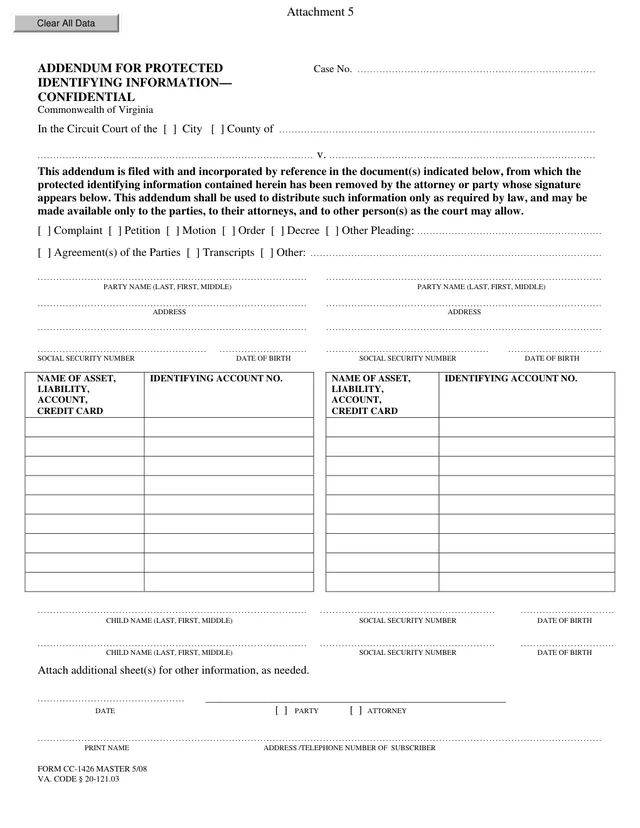
Attachment 5 - Private Addendum
Attachment 6A - Order 6 mos
Attachment 6B - Order 1 year
Attachment 6C - Order 6 mos
Attachment 6D - Order 1 year
Attachment 6E - Order 1 year
Attachment 6F - Order 1 year
Attachment 7 - Affidavit
Attachment 8 - Name Change Order
Attachment 9 - Pendente Lite Mot
Attachment 10A - Pendente Lite Ord
Attachment 10B - Pendente Lite Ord
Attachment 10C - Pendente Lite
Attachment 10D-Income Withhold
50
101
80
111
18
71
28
34
1
14
44
94
30
27
38
83
26
77
60
29
21
16
FBA-H-53 Pro Se Divorce Brochure
2
(Created by Fairfax Bar Association)
August 2023
PRO SE DIVORCE SUITS
“Pro se” means that a party to a lawsuit is representing oneself. All persons involved in divorce cases are strongly encouraged to consult with an attorney so that the legal proceedings and the effect of legal documents and orders can be fully explained to you. If you have children, property, or support issues which need to be decided by the court an
How to fill it
Fill or edit this form in MePDF
- Preview page 30 to confirm the form name and revision.
- Select Fill form to answer the form one page at a time.
- Type an answer for each field; checkboxes and choices use the form’s own options.
- Preview the finished pages, then download the flattened PDF.
- The downloaded copy is image-only, so it cannot be edited as a form again.
Fill only the fields that apply and do not change clauses you were not asked to change. The editor keeps the original layout while you fill the existing fields.