What's inside
Form content
Protected B when completed
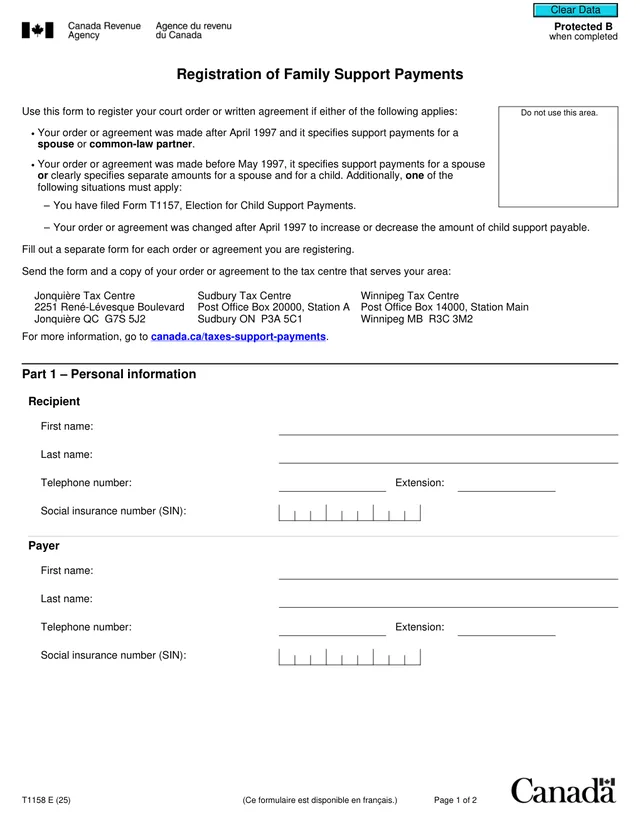
Registration of Family Support Payments
Do not use this area.
Use this form to register your court order or written agreement if either of the following applies:
• Your order or agreement was made after April 1997 and it specifies support payments for a spouse or common-law partner.
• Your order or agreement was made before May 1997, it specifies support payments for a spouse or clearly specifies separate amounts for a spouse and for a child. Additionally, one of the following situations must apply:
– You have filed Form T1157, Election for Child Support Payments.
– Your order or agreement was changed after April 1997 to increase or decrease the amount of child support payable.
Fill out a separate form for each order or agreement you are registering.
Send the form and a copy of your order or agreement to the tax centre that serves your area:
Jonquière Tax Centre
2251 René-Lévesque Boulevard
Jonquière QC G7S 5J2
Sudbury Tax Centre
Post Office Box 20000, Station A
Sudbury ON P3A 5C1
Winnipeg Tax Centre
Post Office Box 14000, Station Main
Winnipeg MB R3C 3M2
For more information, go to canada.ca/taxes-support-payments.
Part 1 – Personal information
Recipient
How to fill it
Fill or edit this form in MePDF
- Preview page 1 to confirm the form name and revision.
- Select Fill form to answer the form one page at a time.
- Type an answer for each field; checkboxes and choices use the form’s own options.
- Preview the finished pages, then download the flattened PDF.
- The downloaded copy is image-only, so it cannot be edited as a form again.
Fill only the fields that apply and do not change clauses you were not asked to change. The editor keeps the original layout while you fill the existing fields.