What's inside
Form content
Protected B when completed
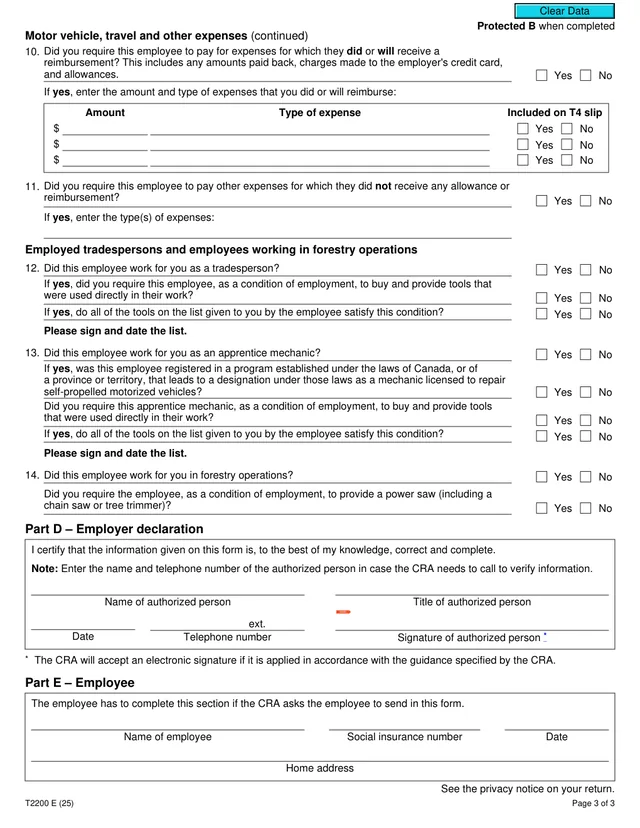
Declaration of Conditions of Employment
The employer must complete this form and give it to the employee for the employee to be able to deduct employment expenses from their income.
The employee does not have to file this form with their return, but must keep it in case the Canada Revenue Agency (CRA) asks to see it. For details about claiming employment expenses, see the following publications:
• Guide T4044, Employment Expenses
• Archived Interpretation Bulletin IT-352R2, Employee's Expenses, Including Work Space in Home Expenses
• Archived Interpretation Bulletin IT-522R, Vehicle, Travel and Sales Expenses of Employees
Part A – Employee information
Last name
First name
Tax year
Job title
Brief description of duties
Part B – Employer information
Name of employer
Employer address
Part C – Conditions of employment
General information
1.
Did this employee's contract require them to pay their own expenses while carrying out the duties of employment? Answer yes even if you give an allowance or a reimbursement in respect of some or all such expenses.
Yes
No
If no, the employee is not entitled to claim employment expenses, and you are not required to answer an
How to fill it
Fill or edit this form in MePDF
- Preview page 3 to confirm the form name and revision.
- Select Fill form to answer the form one page at a time.
- Type an answer for each field; checkboxes and choices use the form’s own options.
- Preview the finished pages, then download the flattened PDF.
- The downloaded copy is image-only, so it cannot be edited as a form again.
Match the employer's legal name and the employee's tax details. The editor keeps the original layout while you fill the existing fields.