What's inside
Form content
VA FORM
SEP 2021
10-0539
PAGE
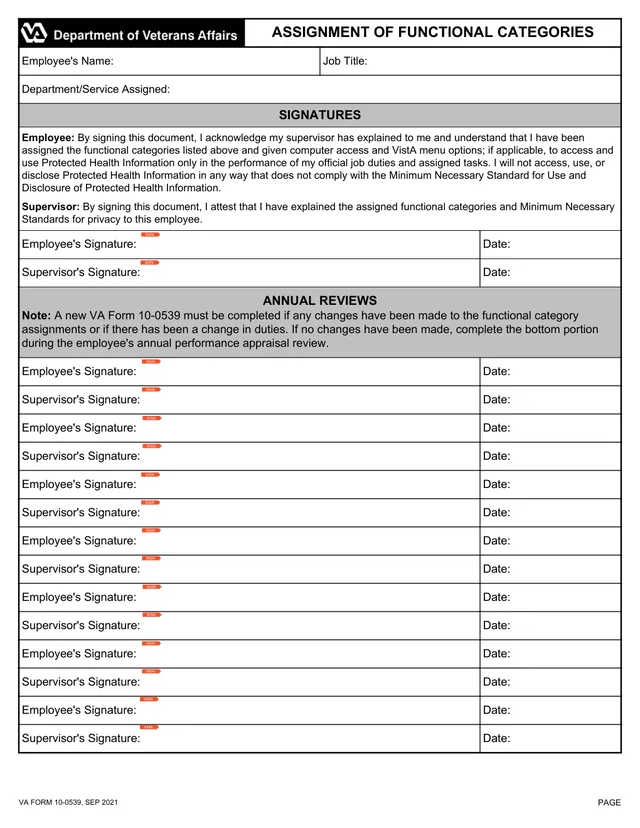
ASSIGNMENT OF FUNCTIONAL CATEGORIES
Employee's Name:
Job Title:
Department/Service Assigned:
An Assignment of Functional Category is a classification of an employee by their supervisor indicating their level of access to
Individually Identifiable Health Information (IIHI) and/or Protected Health Information (PHI). This form must be completed 1) upon hiring and in-processing; 2) annually thereafter; and 3) as needed due to job changes between annual reviews. Supervisor and employees should have a discussion which clearly communicates the level of access to IIHI/PHI as well as when, and what, employees may access in the performance of their assigned duties. Functional category for medical residents or other health professional trainees is assigned within their MTT training (TMS 3185966 or 3192008). If an employee's duties are covered by more than one functional category listed below, access should be granted based on the less restrictive category to meet the need of an intended purpose.
Immediate Supervisor: Check off functional category, review with employee, obtain signatures, and maintain copy in the
Supervisor's Personnel Files (RCS10-1,3000.18) for
How to fill it
Fill or edit this form in MePDF
- Preview page 4 to confirm the form name and revision.
- Select Fill form to answer the form one page at a time.
- Type an answer for each field; checkboxes and choices use the form’s own options.
- Preview the finished pages, then download the flattened PDF.
- The downloaded copy is image-only, so it cannot be edited as a form again.
Use the service member's full legal name and current unit details. The editor keeps the original layout while you fill the existing fields.