What's inside
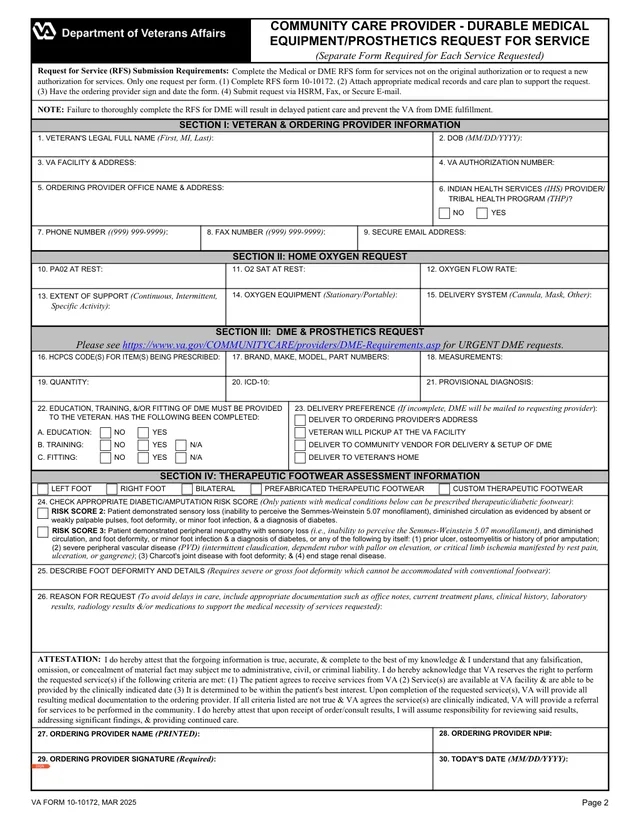
Form content
COMMUNITY CARE PROVIDER - MEDICAL
REQUEST FOR SERVICE
(Separate Form Required for Each Service Requested)
Request for Service (RFS) Submission Requirements: Complete the Medical or DME RFS form for services not on the original authorization or to request a new authorization for services. Only one request per form. (1) Complete RFS form 10-10172. (2) Attach appropriate medical records and care plan to support the request.
(3) Have the ordering provider sign and date the form. (4) Submit request via HSRM, Fax, or Secure E-mail.
NOTE: Requests are approved/denied at the VA facility’s discretion and supporting documentation must accompany each request.
SECTION I: VETERAN & ORDERING PROVIDER INFORMATION
1. VETERAN'S LEGAL FULL NAME (First, MI, Last):
2. DATE OF BIRTH (MM/DD/YYYY):
3. VA FACILITY & ADDRESS:
4. VA AUTHORIZATION NUMBER:
5. ORDERING PROVIDER OFFICE NAME & ADDRESS:
6. INDIAN HEALTH SERVICES (IHS) PROVIDER/
TRIBAL HEALTH PROGRAM (THP)?
NO
YES
7. ORDERING PROVIDER PHONE NUMBER
((999) 999-9999):
8. ORDERING PROVIDER FAX NUMBER
((999) 999-9999):
9. ORDERING PROVIDER SECURE EMAIL ADDRESS:
SECTION II: TYPE OF CARE REQUEST
10. IS CARE NEEDED WITHIN 48 HOURS? (Based on the clinical
How to fill it
Fill or edit this form in MePDF
- Preview page 2 to confirm the form name and revision.
- Select Fill form to answer the form one page at a time.
- Type an answer for each field; checkboxes and choices use the form’s own options.
- Preview the finished pages, then download the flattened PDF.
- The downloaded copy is image-only, so it cannot be edited as a form again.
Use the service member's full legal name and current unit details. The editor keeps the original layout while you fill the existing fields.