What's inside
Form content
GENERAL INFORMATION
SIGNATURE AND DATE
REASON/CIRCUMSTANCE FOR HARDSHIP REQUEST (Check all that apply and add explanation as needed below)
PROJECTED HOUSEHOLD INCOME AND DEDUCTIBLE EXPENSES FOR THE CURRENT CALENDAR YEAR
VA BURDEN STATEMENT AND PRIVACY ACT INFORMATION
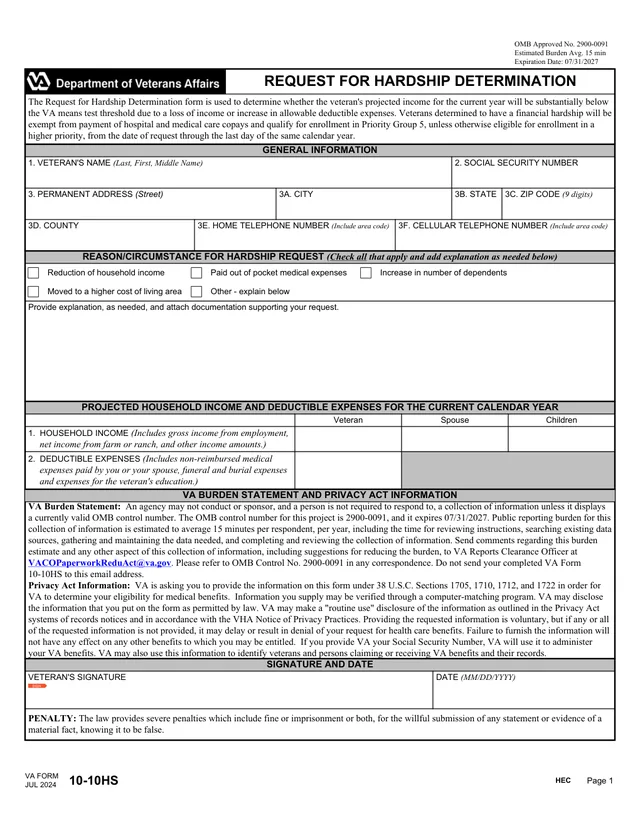
REQUEST FOR HARDSHIP DETERMINATION
The Request for Hardship Determination form is used to determine whether the veteran's projected income for the current year will be substantially below the VA means test threshold due to a loss of income or increase in allowable deductible expenses. Veterans determined to have a financial hardship will be exempt from payment of hospital and medical care copays and qualify for enrollment in Priority Group 5, unless otherwise eligible for enrollment in a higher priority, from the date of request through the last day of the same calendar year.
1. VETERAN'S NAME (Last, First, Middle Name)
3. PERMANENT ADDRESS (Street)
3A. CITY
3B. STATE
3E. HOME TELEPHONE NUMBER (Include area code)
3F. CELLULAR TELEPHONE NUMBER (Include area code)
Provide explanation, as needed, and attach documentation supporting your request.
3D. COUNTY
3C. ZIP CODE (9 digits)
Reduction of household income
Moved to a h
How to fill it
Fill or edit this form in MePDF
- Preview page 1 to confirm the form name and revision.
- Select Fill form to answer the form one page at a time.
- Type an answer for each field; checkboxes and choices use the form’s own options.
- Preview the finished pages, then download the flattened PDF.
- The downloaded copy is image-only, so it cannot be edited as a form again.
Use the service member's full legal name and current unit details. The editor keeps the original layout while you fill the existing fields.