What's inside
Form content
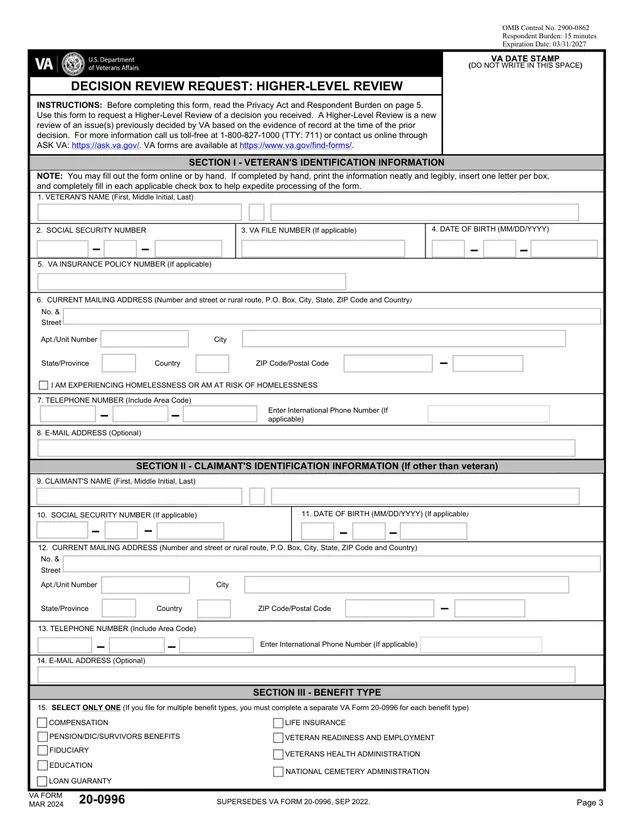
Section I - Veteran's Identification Information
Provide all available information to identify the veteran in Section I. VA must have enough information to be able to identify the veteran. VA may return the form if the form is incomplete.
If you are experiencing homelessness, or are at risk of experiencing homelessness, mark the check box at the bottom of
Item 6. If you wish to request priority processing for other reasons, you may file VA Form 20-10207, Priority Processing
Request, with this form.
Section II - Claimant's Identification Information (If other than veteran)
If the claimant is different than the veteran, fill out the information in Section II. Without this information, we will be unable to identify the claimant.
If you are a healthcare provider (or an agent or employee of a healthcare provider) requesting review of a VA payment decision, you must indicate the healthcare provider as the claimant and complete all relevant information in the claimant identification section.
IMPORTANT: Please read the instructions carefully to help you complete this form. Some parts of this form contain notes or specific instructions for completing that section. Filling out this form comp
How to fill it
Fill or edit this form in MePDF
- Preview page 3 to confirm the form name and revision.
- Select Fill form to answer the form one page at a time.
- Type an answer for each field; checkboxes and choices use the form’s own options.
- Preview the finished pages, then download the flattened PDF.
- The downloaded copy is image-only, so it cannot be edited as a form again.
Use the service member's full legal name and current unit details. The editor keeps the original layout while you fill the existing fields.