What's inside
Form content
WHAT IF I CHANGE MY MIND?
If you change your mind and do not want VA to give out your personal benefit or claim information, you may notify us in writing, or by telephone at 1-800-827-1000 or contact VA online at ASK VA: https://ask.va.gov. Upon notification from you VA will no longer give out benefit or claim information (except for the information VA has already given out based on your permission).
GENERAL INFORMATION
INFORMATION AND INSTRUCTIONS TO HELP YOU COMPLETE THE AUTHORIZATION TO
DISCLOSE PERSONAL INFORMATION TO A THIRD PARTY
At VA, we recognize and respect the importance of privacy. Personal information that we collect is kept confidential to the extent provided by law. In accordance with the Privacy Act and applicable confidentiality statutes, VA will only disclose the information in its custody or control in the following circumstances: where the individual identifies the particular information and consents to its use;
where disclosure of the information is required by law; or where the disclosure is otherwise legally permitted, including release for a purpose compatible with the purpose for which it was collected.
Page 1
WHERE DO I SEND MY COMPLETED WORK?
You should m
How to fill it
Fill or edit this form in MePDF
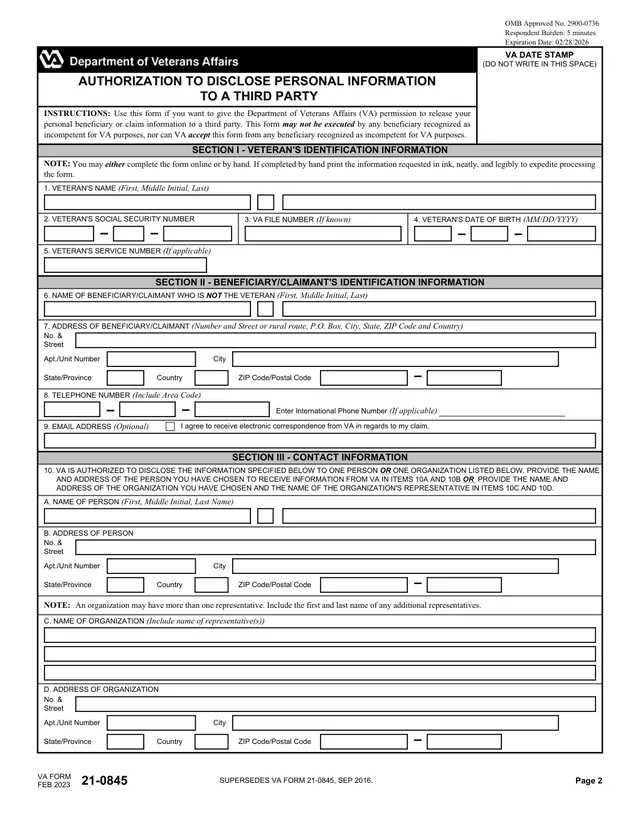
- Preview page 2 to confirm the form name and revision.
- Select Fill form to answer the form one page at a time.
- Type an answer for each field; checkboxes and choices use the form’s own options.
- Preview the finished pages, then download the flattened PDF.
- The downloaded copy is image-only, so it cannot be edited as a form again.
Use the service member's full legal name and current unit details. The editor keeps the original layout while you fill the existing fields.