What's inside
Form content
When submitting a claim(s) for Veterans Disability Compensation and Related Compensation Benefits the following information tells you what you need to do and what VA will do during the FDC Program (Optional Expedited Process) or the Standard Claim Process:
1. HOW TO SUBMIT A CLAIM
Submit your claim on a VA Form 21-526EZ (Attached). Make sure you complete and sign your application. The information on pages 2 through 8 describes the evidence you need to submit, how VA will help you obtain evidence and what the evidence must show to support your claim.
2. WHAT YOU NEED TO DO
The table on page 2 describes the information and evidence you need to submit based on whether you wish to have your claim considered in the FDC
Program (Optional Expedited Process) or in the Standard Claim Process. You will need to indicate how you want your claim to be processed by checking the appropriate box in Item 1, on page 9 of this form.
Want to apply electronically? You can apply online at www.va.gov. If you sign in or create an account, we can prefill parts of your application and save your work in progress. You can also upload all your supporting documents with your claim, and submit it through the Ful
How to fill it
Fill or edit this form in MePDF
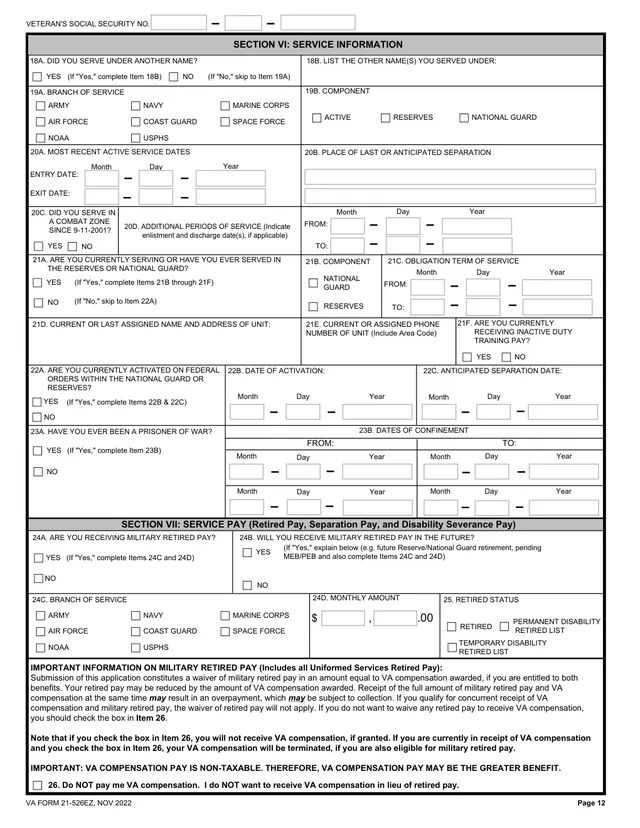
- Preview page 12 to confirm the form name and revision.
- Select Fill form to answer the form one page at a time.
- Type an answer for each field; checkboxes and choices use the form’s own options.
- Preview the finished pages, then download the flattened PDF.
- The downloaded copy is image-only, so it cannot be edited as a form again.
Use the service member's full legal name and current unit details. The editor keeps the original layout while you fill the existing fields.