What's inside
Form content
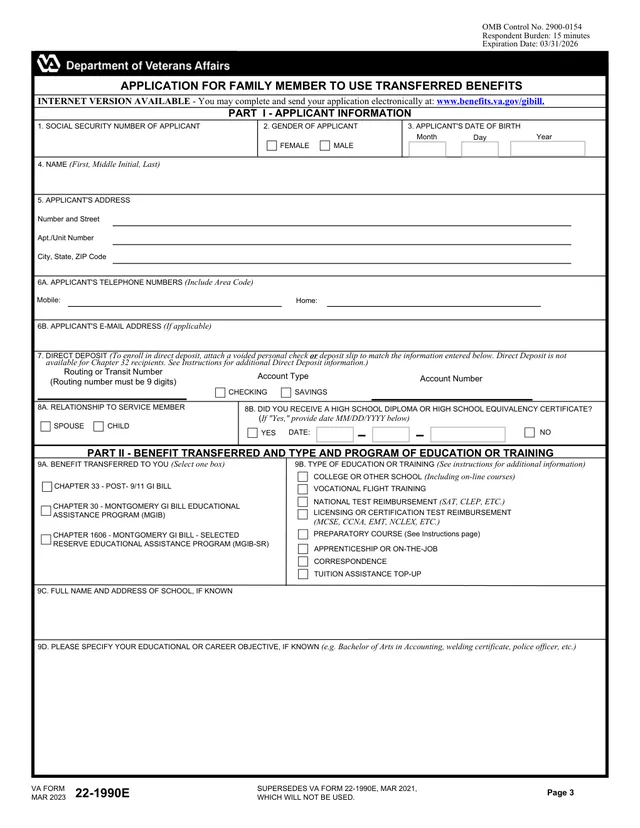
APPLICATION FOR FAMILY MEMBER TO USE TRANSFERRED BENEFITS
22-1990E
VA FORM
MAR 2023
Use this form to apply for Transfer of Entitlement (TOE) to basic educational assistance under chapters 30 and 33 of title 38, U.S. Code and chapter 1606 of title 10, U.S. Code. Use this form only if you are a dependent of an individual eligible to transfer benefits to his or her dependents. The Service member's military branch must have approved the request to transfer benefits. The eligible Service member must have designated you by name, the number of months transferred, and the period for which the transfer is effective.
Do not use this form to apply for benefits based upon your own military service. To apply for benefits based on your own service use,
VA Form 22-1990. That form can be downloaded at www.va.gov/vaforms, completed on-line and submitted electronically at www.benefits.va.gov/gibill (click "Apply On Line" and select the "Education" option). It can also be obtained from the nearest VA regional office, and it may also be available where you received this application.
INFORMATION AND INSTRUCTIONS
FOR COMPLETING THE APPLICATION FOR VA EDUCATION BENEFITS TOE PROGRAM
VA VOCATIONAL AND EDUC
How to fill it
Fill or edit this form in MePDF
- Preview page 3 to confirm the form name and revision.
- Select Fill form to answer the form one page at a time.
- Type an answer for each field; checkboxes and choices use the form’s own options.
- Preview the finished pages, then download the flattened PDF.
- The downloaded copy is image-only, so it cannot be edited as a form again.
Use the service member's full legal name and current unit details. The editor keeps the original layout while you fill the existing fields.