What's inside
Form content
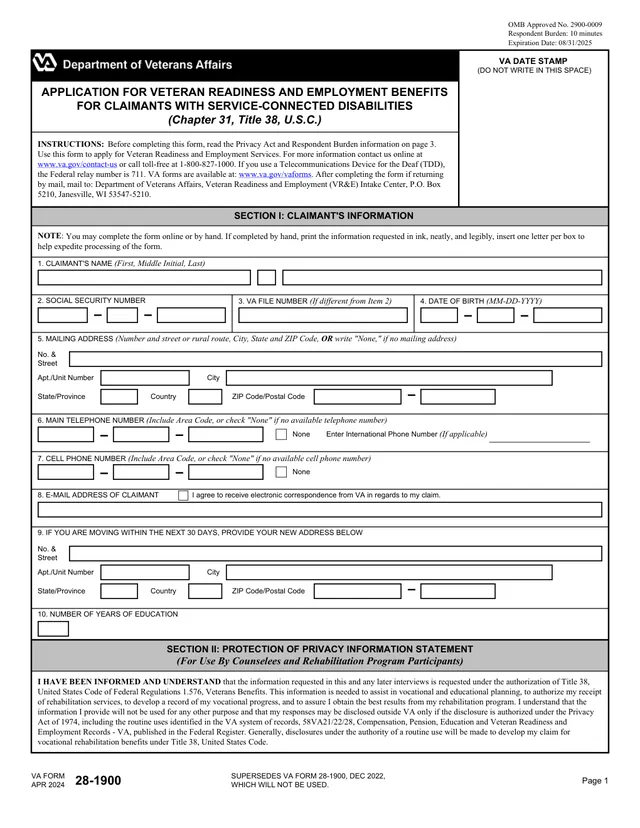
SECTION I: CLAIMANT'S INFORMATION
SECTION II: PROTECTION OF PRIVACY INFORMATION STATEMENT
(For Use By Counselees and Rehabilitation Program Participants)
APPLICATION FOR VETERAN READINESS AND EMPLOYMENT BENEFITS
FOR CLAIMANTS WITH SERVICE-CONNECTED DISABILITIES
(Chapter 31, Title 38, U.S.C.)
OMB Approved No. 2900-0009
Respondent Burden: 10 minutes
Expiration Date: 08/31/2025
VA DATE STAMP
(DO NOT WRITE IN THIS SPACE)
1. CLAIMANT'S NAME (First, Middle Initial, Last)
8. E-MAIL ADDRESS OF CLAIMANT
5. MAILING ADDRESS (Number and street or rural route, City, State and ZIP Code, OR write "None," if no mailing address)
4. DATE OF BIRTH (MM-DD-YYYY)
3. VA FILE NUMBER (If different from Item 2)
2. SOCIAL SECURITY NUMBER
Page 1
SUPERSEDES VA FORM 28-1900, DEC 2022,
WHICH WILL NOT BE USED.
VA FORM
APR 2024
28-1900
6. MAIN TELEPHONE NUMBER (Include Area Code, or check "None" if no available telephone number)
Enter International Phone Number (If applicable)
7. CELL PHONE NUMBER (Include Area Code, or check "None" if no available cell phone number)
9. IF YOU ARE MOVING WITHIN THE NEXT 30 DAYS, PROVIDE YOUR NEW ADDRESS BELOW
10. NUMBER OF YEARS OF EDUCATION
I agree to receive electronic correspon
How to fill it
Fill or edit this form in MePDF
- Preview page 1 to confirm the form name and revision.
- Select Fill form to answer the form one page at a time.
- Type an answer for each field; checkboxes and choices use the form’s own options.
- Preview the finished pages, then download the flattened PDF.
- The downloaded copy is image-only, so it cannot be edited as a form again.
Use the service member's full legal name and current unit details. The editor keeps the original layout while you fill the existing fields.