What's inside
Form content
1006 (Design date 10/21) - Page 1
© COMMONWEALTH OF AUSTRALIA, 2021
Application for a Bridging visa B
To seek permission to travel
Form
1006
Department of Home Affairs
Important – Please read this information and the information about bridging visas on the Department of Home Affairs (the
Department) website https://immi.homeaffairs.gov.au/visas/ getting-a-visa/visa-listing/bridging-visa-b-020/ before you complete your application. Once you have completed your application we strongly advise that you keep a copy for your records.
How to apply
Please complete your application in English.
Answer all questions in full. If you need more space to answer any question, provide the details on a separate sheet, sign it and include it with supporting documents before submitting the application form. You may also be asked to provide documentary evidence of some of your details.
This application will not be valid until you pay the visa application charge.
If your circumstances change in any way after you lodge your application you must inform the Department of the new circumstances.
ImmiAccount
You may be eligible to apply for your Bridging visa B via
ImmiAccount if you applied for your new subs
How to fill it
Fill or edit this form in MePDF
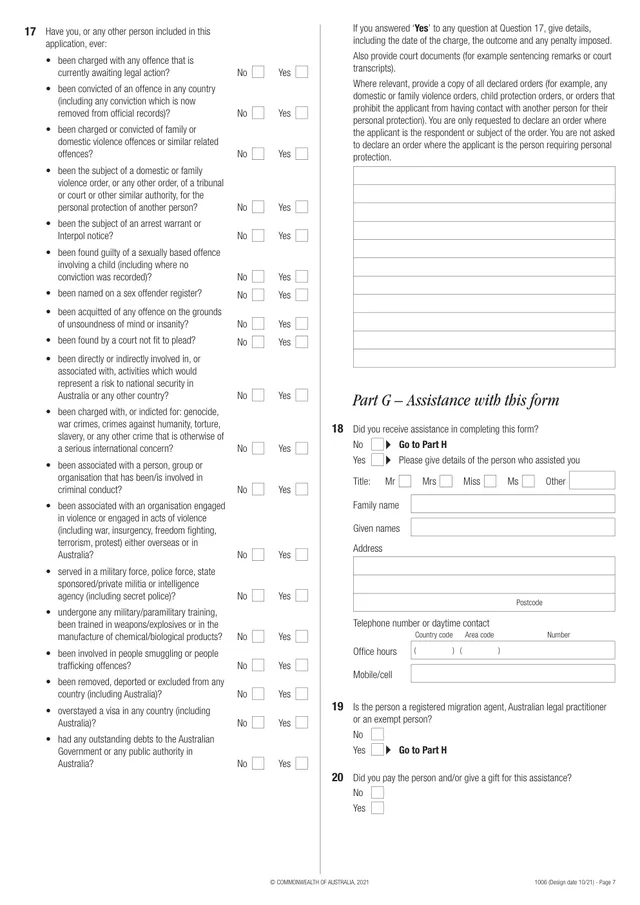
- Preview page 7 to confirm the form name and revision.
- Select Fill form to answer the form one page at a time.
- Type an answer for each field; checkboxes and choices use the form’s own options.
- Preview the finished pages, then download the flattened PDF.
- The downloaded copy is image-only, so it cannot be edited as a form again.
Spell names exactly as they appear in the passport. The editor keeps the original layout while you fill the existing fields.