What's inside
Form content
1195 (Design date 06/25) - Page 1
© COMMONWEALTH OF AUSTRALIA, 2025
Department of Home Affairs
Identity declaration
Form
1195
What the photograph requirements are
You will need to glue a passport-sized photograph of the applicant on the space provided under Question 3. The person who completes Questions 2 and 3 must sign over a bottom corner of the front of the photograph as shown in the example, ensuring that they do not sign over the applicant’s face.
The photograph must:
• be no more than 6 months old
• have a full-face view of your head and shoulders
• be of good quality, in colour, against a neutral or light grey coloured background that contrasts with your face
• be unedited (do not remove background, moles, wrinkles, scars or red eyes)
• be passport-sized: 35mm to 40mm wide and 45mm to 50mm high. The size of the face from chin to crown can be up to a maximum of 36mm, with a minimum of 32mm (see example below).
If you wear glasses they must be removed unless you cannot remove them for medical reasons. If worn they must be untinted
(except for medical reasons), the frames must not obscure your eyes and there must not be any reflection from the lenses.
If you wear a head coveri
How to fill it
Fill or edit this form in MePDF
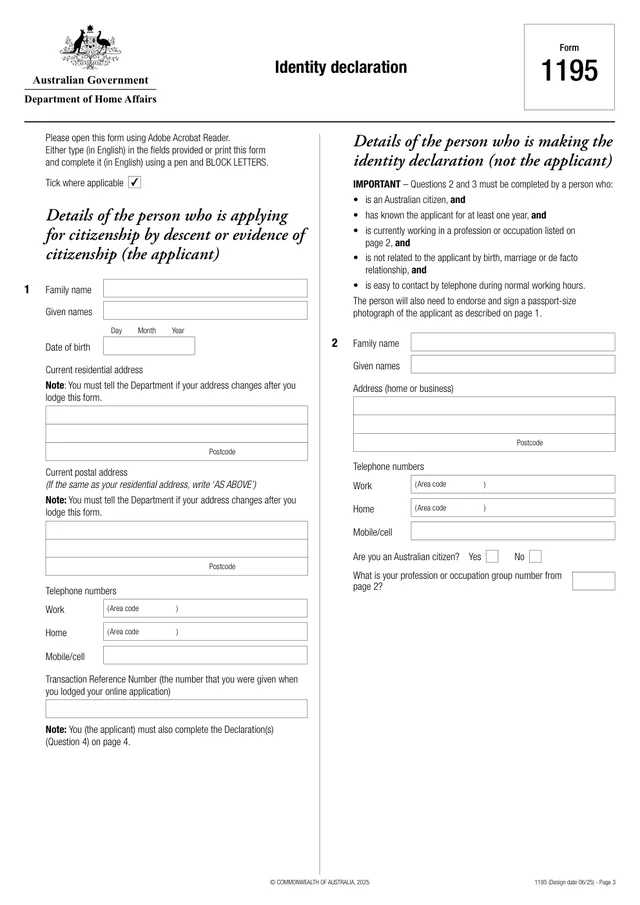
- Preview page 3 to confirm the form name and revision.
- Select Fill form to answer the form one page at a time.
- Type an answer for each field; checkboxes and choices use the form’s own options.
- Preview the finished pages, then download the flattened PDF.
- The downloaded copy is image-only, so it cannot be edited as a form again.
Spell names exactly as they appear in the passport. The editor keeps the original layout while you fill the existing fields.