What's inside
Form content
The form you are looking for begins on the next page of this file. Before viewing it, please see the important update information below.
New Mailing Address
The mailing address for certain forms have change since the forms were last published.
The new mailing address are shown below.
Mailing Address for Forms 1023, 1024, 1024-A, 1028, 5300, 5307, 5310, 5310-A, 5316,
8717, 8718, 8940:
TE/GE Stop 31A Team 105
P.O. Box 12192
Covington, KY 41012–0192
Deliveries by private delivery service (PDS) should be made to:
7940 Kentucky Drive
TE/GE Stop 31A Team 105
Florence, KY 41042
This update supplements these forms’ instructions. Filers should rely on this update for the change described, which will be incorporated into the next revision of the form’s instructions.
This page intentionally left blank.
How to fill it
Fill or edit this form in MePDF
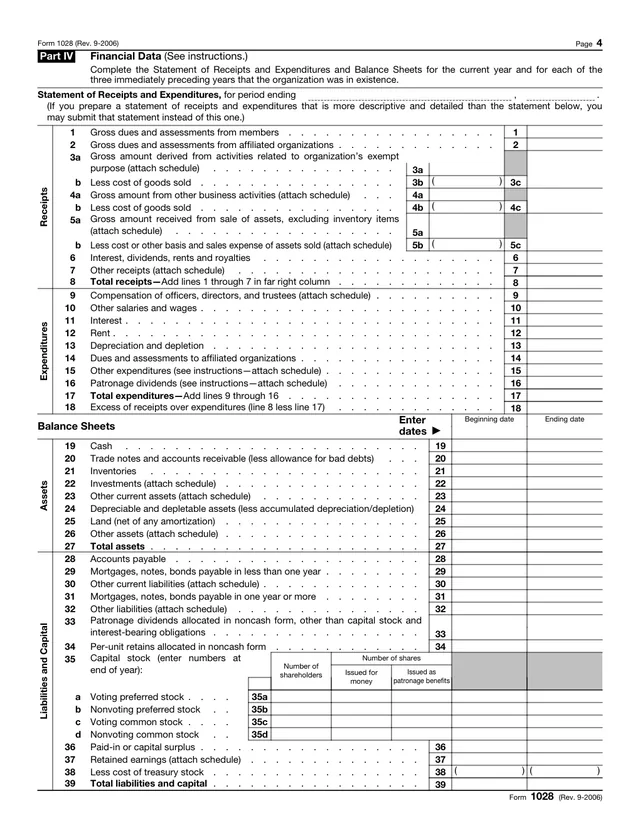
- Preview page 6 to confirm the form name and revision.
- Select Fill form to answer the form one page at a time.
- Type an answer for each field; checkboxes and choices use the form’s own options.
- Preview the finished pages, then download the flattened PDF.
- The downloaded copy is image-only, so it cannot be edited as a form again.
Keep the tax year and filing status consistent on every page. The editor keeps the original layout while you fill the existing fields.