What's inside
Form content
(Form 1040)
Supplemental Income and Loss
(From rental real estate, royalties, partnerships, S corporations, estates, trusts, REMICs, etc.)
Attach to Form 1040, 1040-SR, 1040-NR, or 1041.
Go to www.irs.gov/ScheduleE for instructions and the latest information.
2025
Attachment
Sequence No. 13
Name(s) shown on return
Your social security number
Part I
Income or Loss From Rental Real Estate and Royalties
Note: If you are in the business of renting personal property, use Schedule C. See instructions. If you are an individual, report farm rental income or loss from Form 4835 on page 2, line 40.
A
Did you make any payments in 2025 that would require you to file Form(s) 1099? See instructions .
.
.
.
.
Yes
No
B
If “Yes,” did you or will you file required Form(s) 1099?
.
.
.
.
.
.
.
.
.
.
.
.
.
.
.
.
.
.
Yes
No
1a
Physical address of each property (street, city, state, ZIP code)
A
B
C
1b
Type of Property
(from list below)
A
B
C
2
For each rental real estate property listed above, report the number of fair rental and personal use days. Check the QJV box only if you meet the requirements to file as a qualified joint venture. See instructions.
Fair Rental
Days
Personal Use
Days
QJV
A
B
C
Type
How to fill it
Fill or edit this form in MePDF
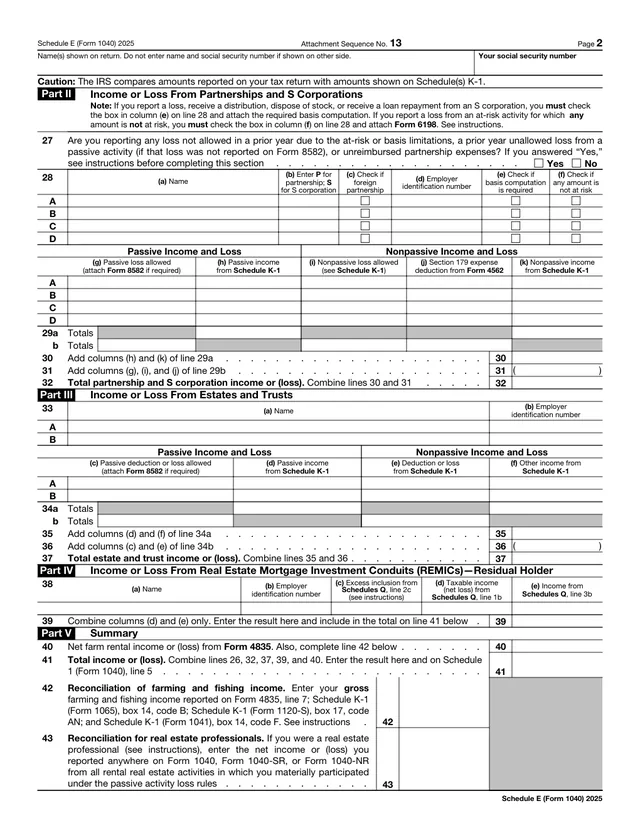
- Preview page 2 to confirm the form name and revision.
- Select Fill form to answer the form one page at a time.
- Type an answer for each field; checkboxes and choices use the form’s own options.
- Preview the finished pages, then download the flattened PDF.
- The downloaded copy is image-only, so it cannot be edited as a form again.
Keep the tax year and filing status consistent on every page. The editor keeps the original layout while you fill the existing fields.