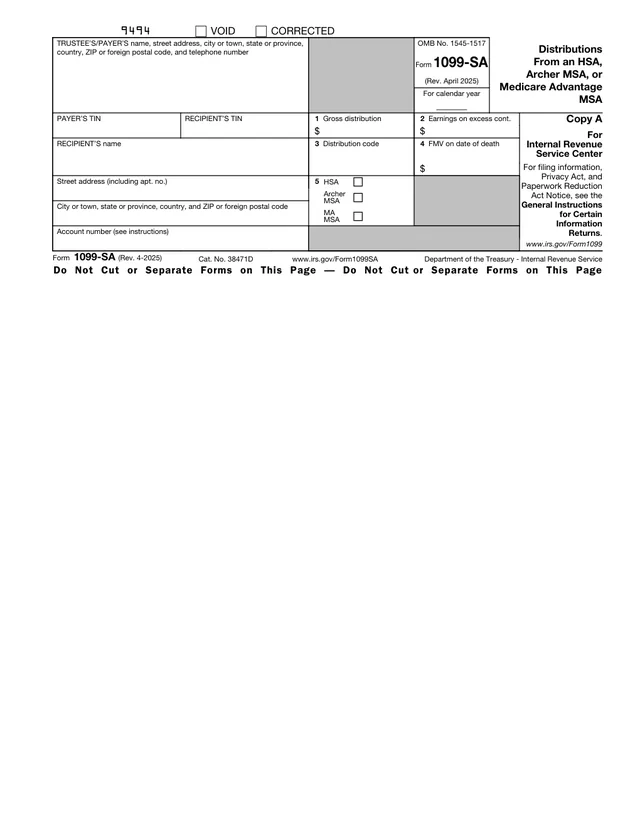
What's inside
Form content
Cat. No. 38471D
Distributions
From an HSA,
Archer MSA, or
Medicare Advantage
MSA
Copy A
For
Internal Revenue
Service Center
For filing information,
Privacy Act, and
Paperwork Reduction
Act Notice, see the
General Instructions for Certain
Information
Returns.
For calendar year
9494
VOID
CORRECTED www.irs.gov/Form1099
TRUSTEE’S/PAYER’S name, street address, city or town, state or province, country, ZIP or foreign postal code, and telephone number
PAYER’S TIN
RECIPIENT’S TIN
RECIPIENT’S name
Street address (including apt. no.)
City or town, state or province, country, and ZIP or foreign postal code
Account number (see instructions)
1 Gross distribution
$
2 Earnings on excess cont.
$
3 Distribution code
4 FMV on date of death
$
5 HSA
Archer
MSA
MA
MSA
(Rev. April 2025)
Form 1099-SA (Rev. 4-2025) www.irs.gov/Form1099SA
Do Not Cut or Separate Forms on This Page — Do Not Cut or Separate Forms on This Page
Distributions
From an HSA,
Archer MSA, or
Medicare Advantage
MSA
Copy B
For
Recipient
This information is being furnished to the IRS.
For calendar year
CORRECTED (if checked)
(keep for your records)
TRUSTEE’S/PAYER’S name, street address, city or town, state or province, country, ZIP or
How to fill it
Fill or edit this form in MePDF
- Preview page 1 to confirm the form name and revision.
- Select Fill form to answer the form one page at a time.
- Type an answer for each field; checkboxes and choices use the form’s own options.
- Preview the finished pages, then download the flattened PDF.
- The downloaded copy is image-only, so it cannot be edited as a form again.
Keep the tax year and filing status consistent on every page. The editor keeps the original layout while you fill the existing fields.